
Godot 4 > AnimSheet
Automatically generate AnimationPlayer or AnimatedSprite2D nodes directly from spritesheets within the Godot editor.
🎬 AnimSheet
✨ Turn your sprite sheets into fully-animated sprites with just a few clicks! ✨
Batch process your sprite sheets like a pro. Scan entire folders or ZIP archives, detect grids automatically, and export ready-to-use AnimatedSprite2D or AnimationPlayer nodes with custom naming.
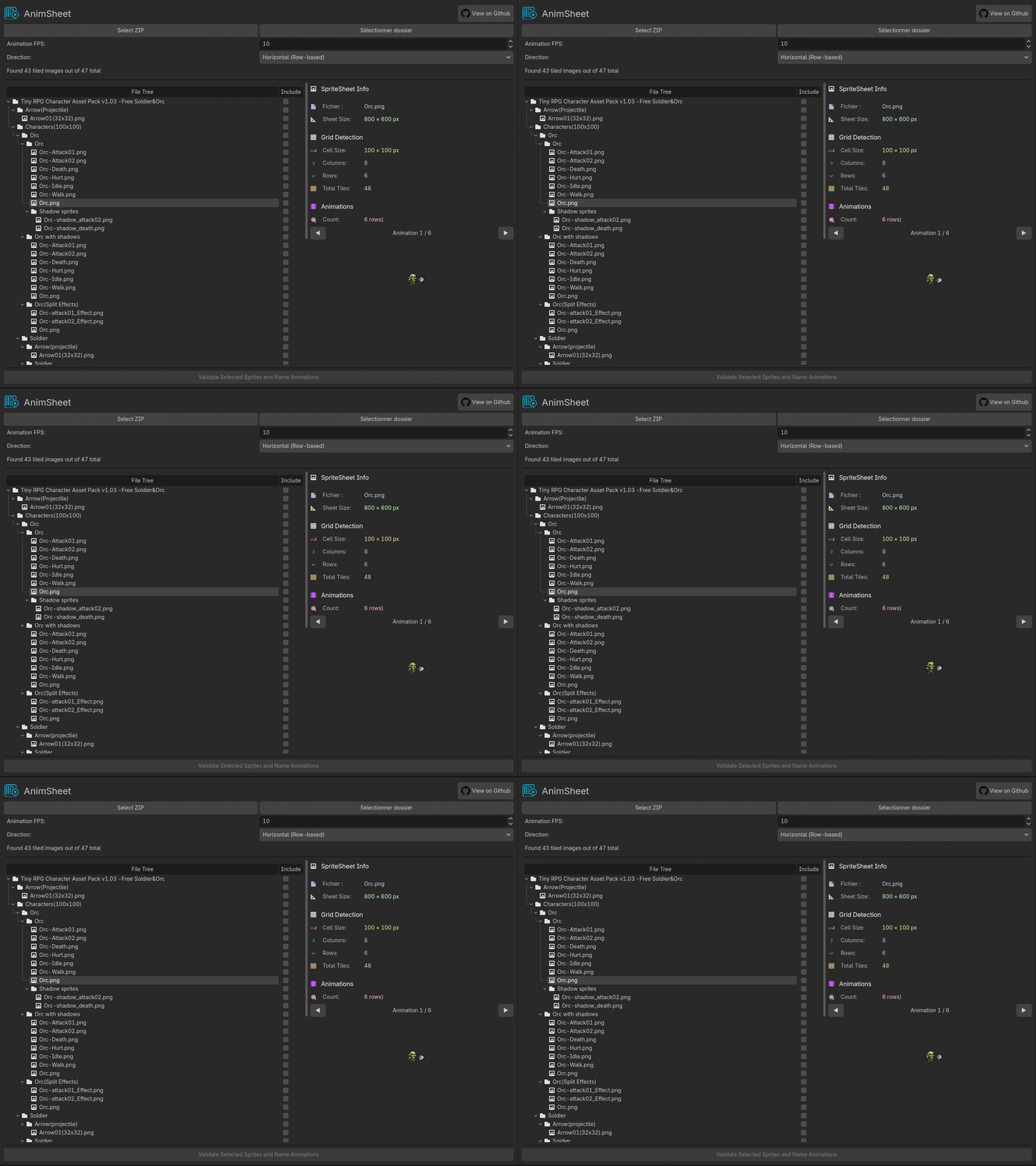
SpriteSheet Source: Zerie Tiny RPG Pack
✨ What's New in V2
AnimSheet V2 is a complete rewrite from scratch focused on batch processing workflows. If you've used V1, you'll notice this version takes a different approach handling multiple sprite sheets efficiently in one go.
V2 brings you:
- 📦 Batch scanning - Process folders or ZIP archives full of sprite sheets
- 🔍 Automatic grid detection - Frequency-based analysis finds tile sizes for you
- 🎨 Custom naming workflow - Name your animations before export
Important: V2 doesn't allow manual drag and select currently. If you need the original V1 with manual frame selection, check out the V1 branch. I will try to add it in the future.
🎯 Features
Batch Processing Made Easy
Stop importing sprite sheets one at a time! Load an entire folder or ZIP archive and let AnimSheet scan everything at once.
- Scan folders recursively, identify spritesheets among all files.
- Extract and process ZIP archives on the fly
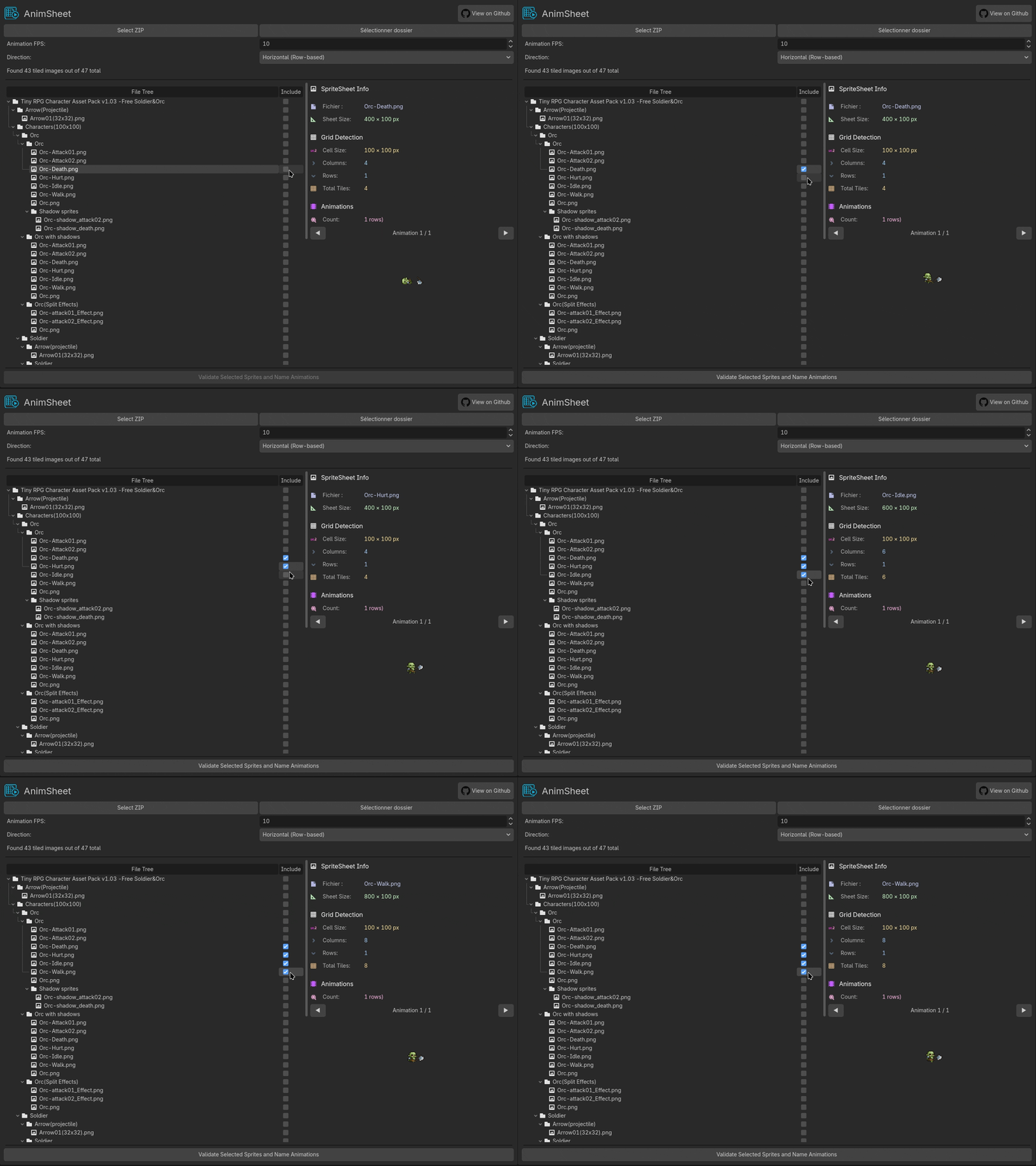
Smart Grid Detection
AnimSheet analyzes your sprite sheets using frequency-based column and row detection to find consistent tile patterns.
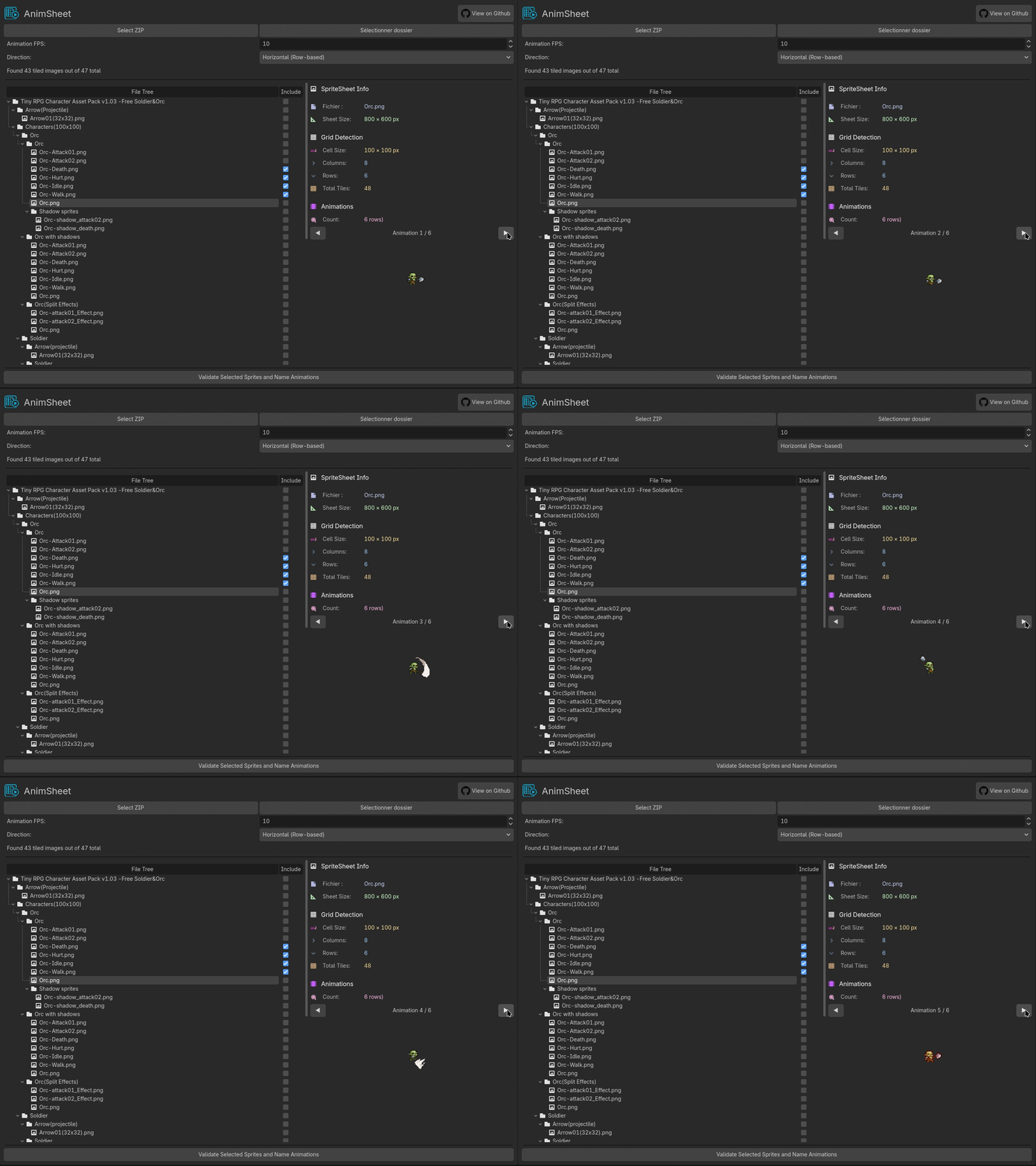
Custom Naming System
Give your animations meaningful names before export:
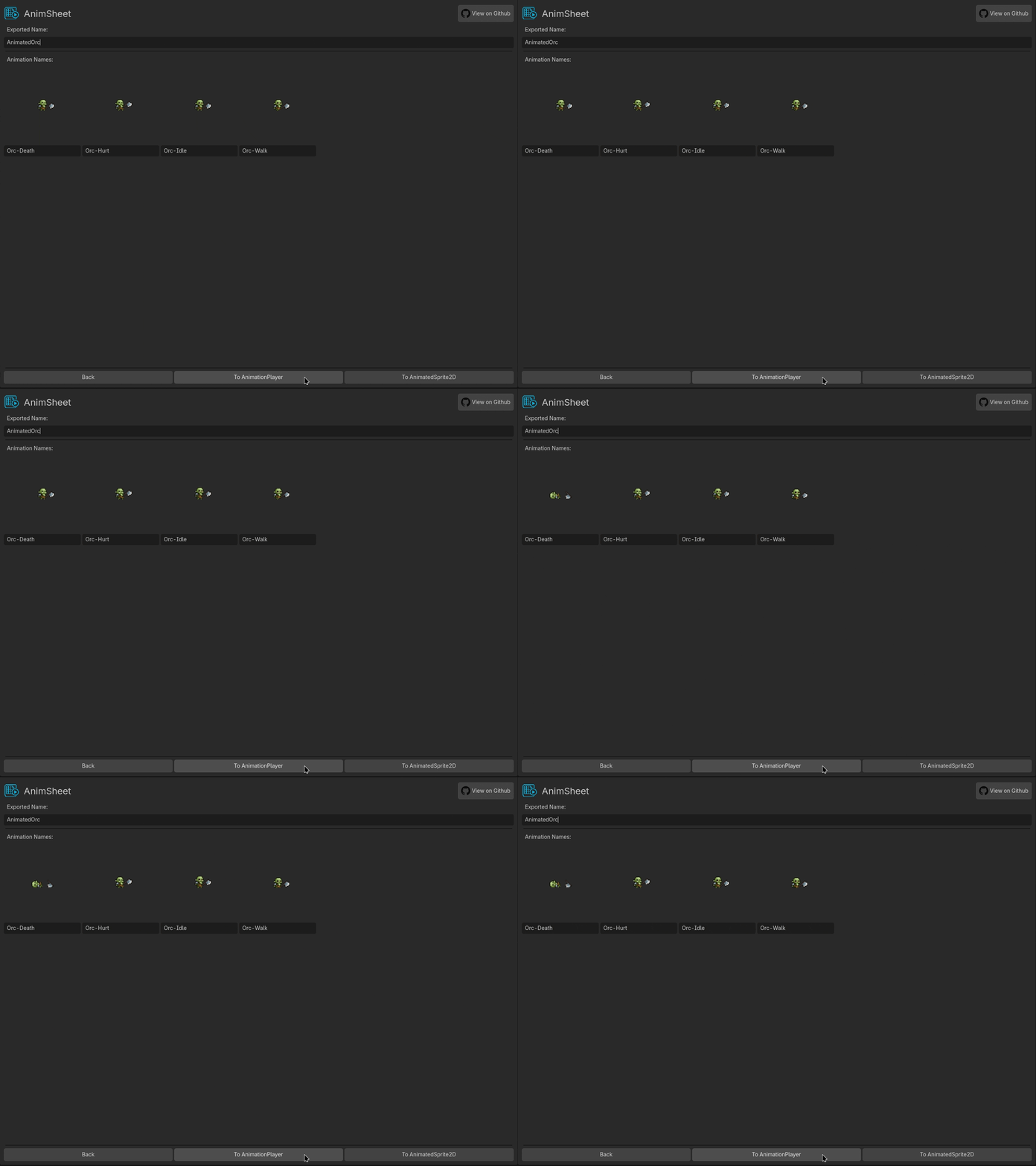
Export Options
🎬 AnimatedSprite2D
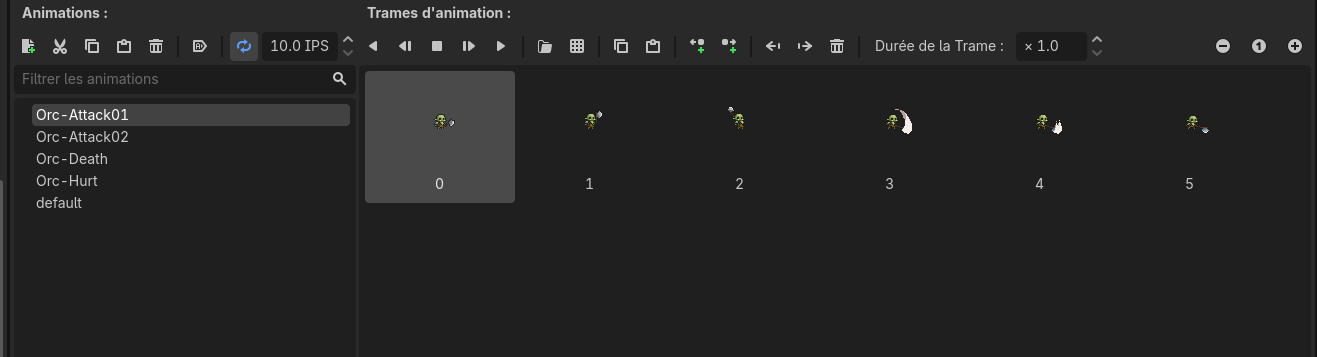
Possible thanks to cenairaclub implementation in V1 !
🎮 AnimationPlayer

Get a Sprite2D + AnimationPlayer pair for advanced animation control and scripting.
📥 Installation
From Asset Library (Recommended)
- Open Godot and head to the AssetLib tab
- Search for AnimSheet
- Download and install
- Enable it in Project → Project Settings → Plugins
Manual Installation
- Grab the
addons/anim_sheetfolder from this repo - Drop it into your project's
addons/directory - Enable in Project → Project Settings → Plugins
🚀 How to Use
Step 1: Open AnimSheet
Look for the AnimSheet tab in the top toolbar.
Step 2: Load Your Sprite Sheets
Two ways to load:
- Select Folder - Scan a directory for images
- Select ZIP - Extract and scan an archive
AnimSheet will automatically detect grid dimensions for each sprite sheet it finds.
Step 3: Select animations and configuration
- Select animations from the tree.
- Set your FPS (frames per second)
- Choose Direction of spritesheets: Horizontal (row-based) or Vertical (column-based)
Hit Validate when you're ready!
Step 5: Name Your Animations
Step 6: Export !
Pick your format:
- AnimatedSprite2D for simple, self-contained animated sprites
- AnimationPlayer for sprites with separate animation control
Nodes are created directly in your currently open scene. Done! 🎉
🔧 Technical Details
I wanted to be able to import spritesheets very easily, so I used an algorithm to which images are spritesheets and their sprites sizes. I tried bounding box first which didn't works well enough.
So AnimSheet uses autocorrelation-based pattern detection, a signal processing technique that finds repeating patterns in data:
- Projection Building - Creates horizontal and vertical projections by counting non-transparent pixels along each row and column
- Autocorrelation Analysis - Correlates each projection with shifted versions of itself to detect periodic patterns
- Peak Detection - Identifies prominent peaks in the autocorrelation signal
- Grid Optimization - Refines the detected spacing by testing divisors of the image dimensions and scoring them based on:
- How well they align with detected periods
- Minimizing pixel density at grid boundaries (finding the "gaps" between tiles)
This works very well with most sprite sheets I tested.
📜 License
AnimSheet is licensed under the MIT License. See LICENSE.md for the full text.
TL;DR: Use it in your personal projects, commercial games, game jams ! Free and open source.
Enjoy using AnimSheet? Consider starring the repo or sharing it with other game devs! 🌟