
QueryGPT
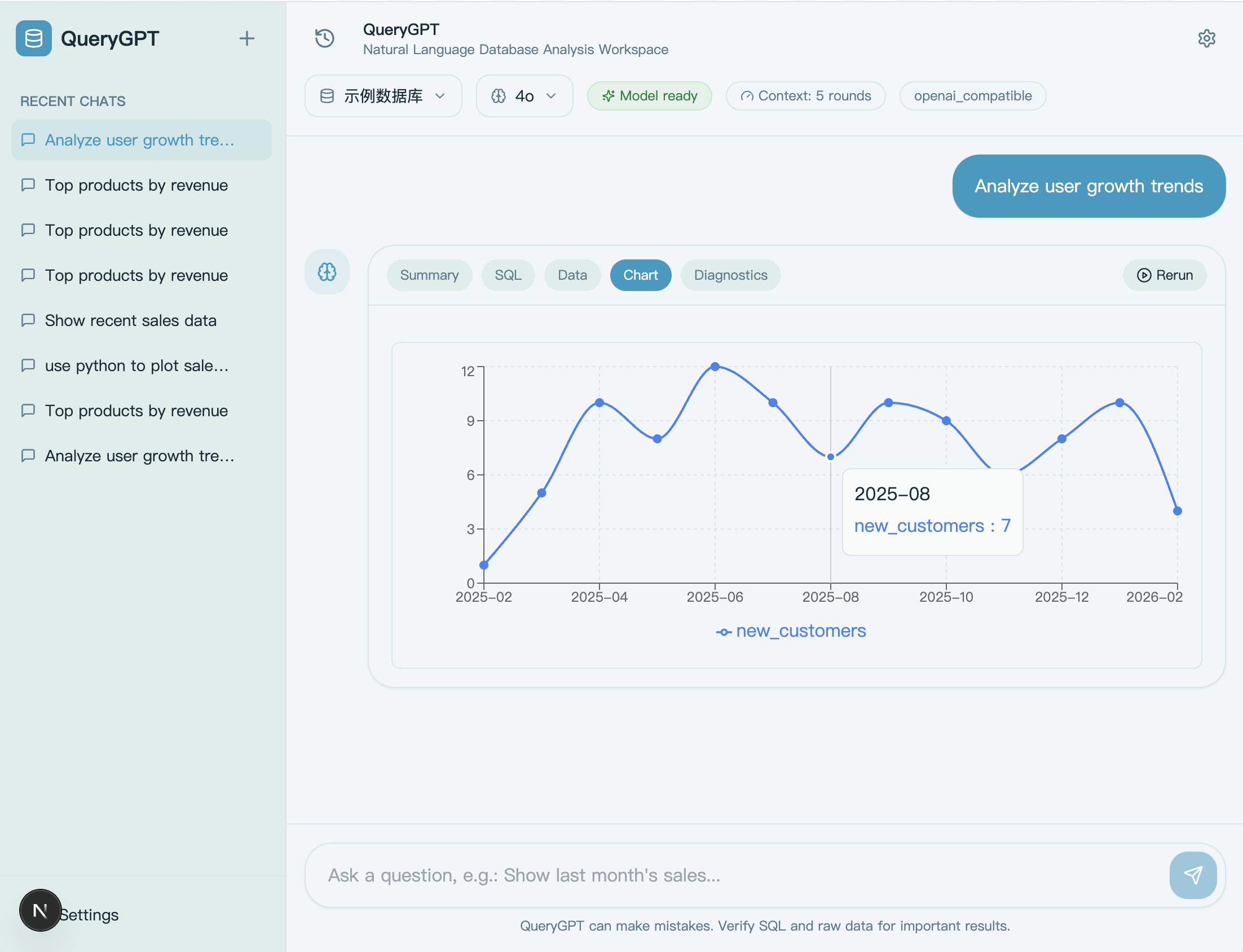
Natural language database query interface with automatic chart generation, supporting Chinese and English queries.
Text-to-SQL tool — ask questions in plain English, get read-only SQL, results, Python analysis, and charts.
Features
- Natural language queries — describe what you need, get SQL + results back
- Auto analysis — query results feed into Python for deeper analysis and chart generation
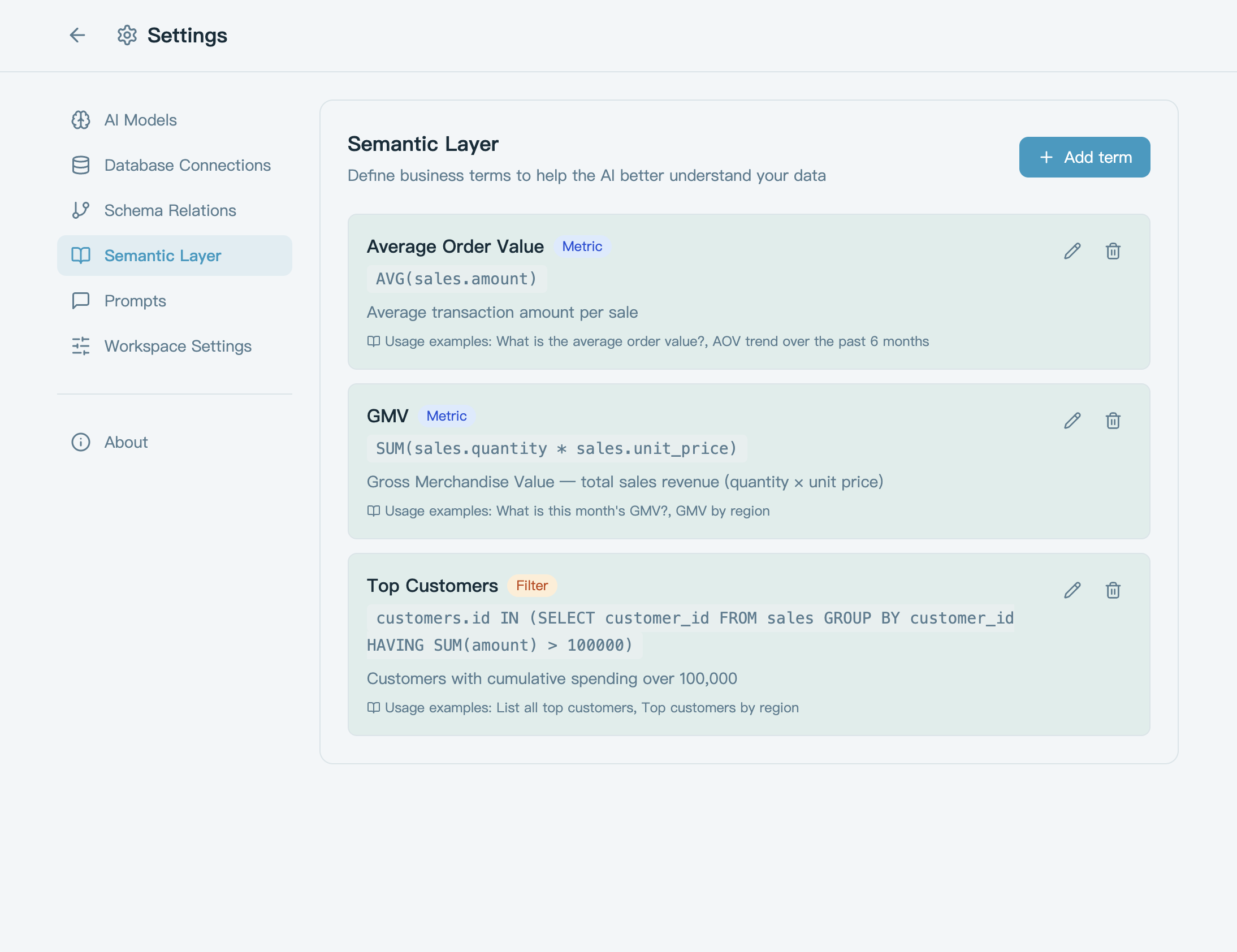
- Semantic layer — define business terms (GMV, AOV, etc.) so the generated SQL stays unambiguous
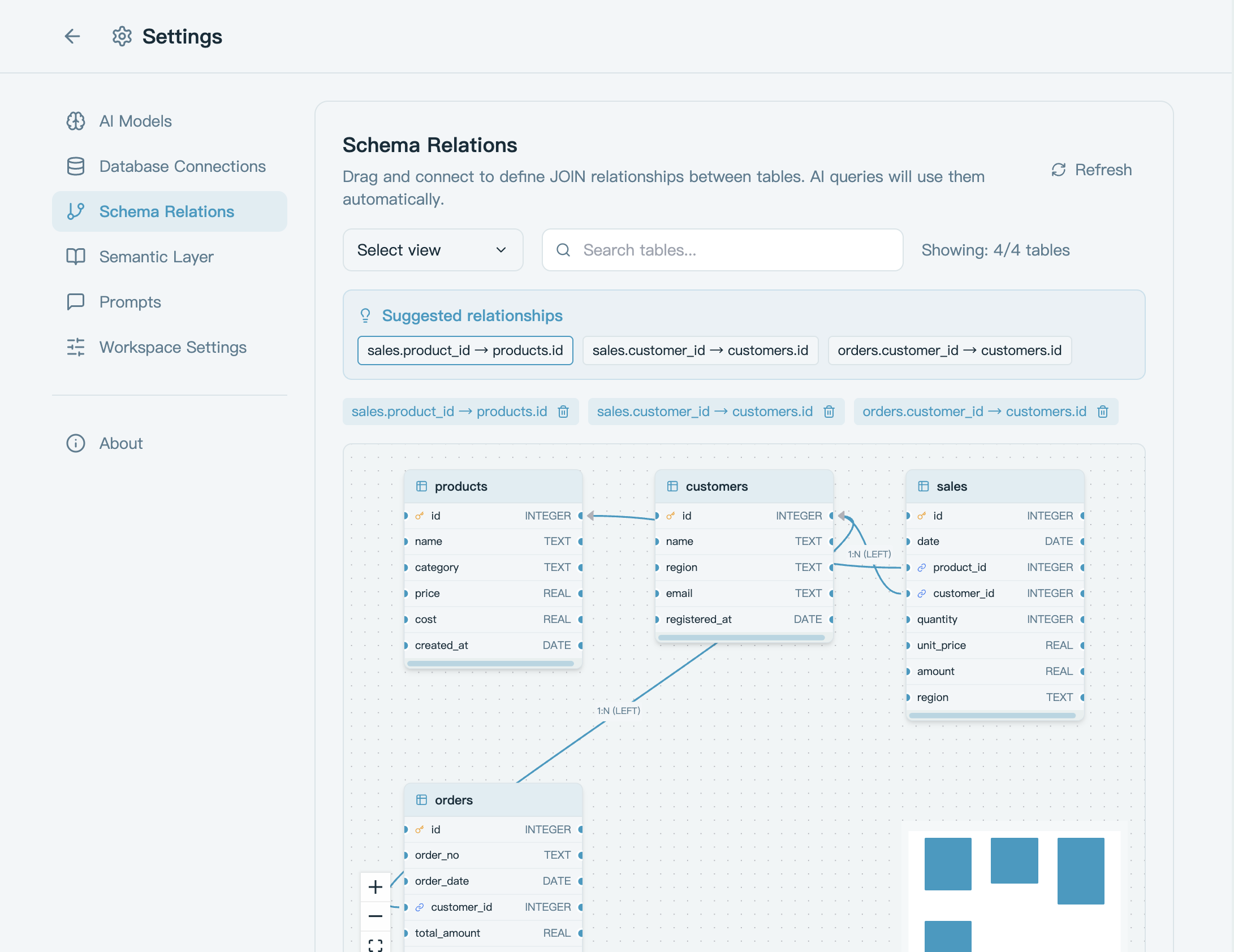
- Schema relationship graph — drag-and-drop table connections, QueryGPT picks the right join path
How It Works
flowchart LR
    query["Ask in plain English"] --> context["Understand intent using semantic layer + schema"]
    context --> sql["Generate read-only SQL"]
    sql --> execute["Execute query"]
    execute --> result["Return results & summary"]
    result --> decision{"Need charts or further analysis?"}
    decision -->|Yes| python["Python analysis & charts"]
    decision -->|No| done["Done"]
    python --> done
    execute -->|SQL error| repair_sql["Auto-repair & retry"]
    sql -->|on retry| repair_sql
    python -->|Python error| repair_py["Auto-repair & retry"]
    repair_sql --> sql
    repair_py --> python
Screenshots
Quick Start
1. Clone the repo
git clone git@github.com:MoonMao43/QueryGPT.git
cd QueryGPT
2. Run it
macOS / Linux — needs Python 3.11+ and Node.js LTS:
./start.sh
Or with Docker:
docker compose up --build
Windows — use Docker Desktop, or WSL2 + ./start.sh.
3. Configure
Open http://localhost:3000:
- Go to Settings and add a model (provider + API key)
- Use the built-in demo database, or connect your own SQLite / MySQL / PostgreSQL
- Optionally set a default model, default connection, and conversation context rounds
- Start asking questions
Ships with a built-in SQLite demo database (
demo.db). A sample connection is auto-created on first launch.
Tech Stack
- Frontend: Next.js 15, React 19, TypeScript, Zustand, TanStack Query
- Backend: FastAPI, SQLAlchemy 2.0, LiteLLM, Python 3.11+
- Databases: SQLite, MySQL, PostgreSQL
Configuration Reference
Models
Supports OpenAI-compatible, Anthropic, Ollama, and Custom gateways. Configurable fields:
| Field | Description |
|---|---|
provider |
Model provider |
base_url |
API endpoint |
model_id |
Model identifier |
api_key |
API key (optional for Ollama or unauthenticated gateways) |
extra headers |
Custom request headers |
query params |
Custom query parameters |
api_format |
API format |
healthcheck_mode |
Health check mode |
Databases
Supports SQLite, MySQL, and PostgreSQL. The system only executes read-only SQL.
Built-in SQLite demo database:
- Path:
apps/api/data/demo.db - Default connection name:
Sample Database
Startup Scripts
./start.sh              # Host mode: check env, install deps, init DB, start frontend + backend
./start.sh setup        # Host mode: install dependencies only
./start.sh stop         # Stop host mode services
./start.sh restart      # Restart host mode services
./start.sh status       # Check host mode status
./start.sh logs         # View host mode logs
./start.sh doctor       # Diagnose host mode environment
./start.sh test all     # Run all tests in host mode
./start.sh cleanup      # Clean up host mode temp state
Install analytics extras (scikit-learn, scipy, seaborn):
./start.sh install analytics
Optional environment variables:
QUERYGPT_BACKEND_RELOAD=1 ./start.sh     # Backend hot reload
QUERYGPT_BACKEND_HOST=0.0.0.0 ./start.sh # Listen on all interfaces
Docker Development
Windows developers should use Docker; start.ps1 / start.bat are no longer maintained.
Default dev stack starts:
web: Next.js dev server (HMR enabled)api: FastAPI dev server (--reload)db: PostgreSQL 16
docker-compose up --build               # Start all services in foreground
docker-compose up -d --build            # Start all services in background
docker-compose down                     # Stop and remove containers
docker-compose down -v --remove-orphans # Also remove data volumes
docker-compose ps                       # View status
docker-compose logs -f api web          # View frontend/backend logs
docker-compose restart api web          # Restart frontend/backend
docker-compose up db                    # Start database only
docker-compose run --rm api ./run-tests.sh
docker-compose run --rm web npm run type-check
docker-compose run --rm web npm test
Notes:
- Frontend at
http://localhost:3000by default - Backend at
http://localhost:8000by default - PostgreSQL exposed at
localhost:5432 - Run
docker-compose up --buildafter dependency changes - If you have the Docker Compose plugin installed, swap
docker-composefordocker compose
Local Development (Host Mode)
Backend
cd apps/api
python -m venv .venv
source .venv/bin/activate
pip install -e ".[dev]"
uvicorn app.main:app --reload --host 127.0.0.1 --port 8000
Frontend
cd apps/web
npm install
npm run dev
Environment Variables
Backend apps/api/.env:
DATABASE_URL=sqlite+aiosqlite:///./data/querygpt.db
ENCRYPTION_KEY=your-fernet-key
Frontend apps/web/.env.local:
NEXT_PUBLIC_API_URL=http://localhost:8000
# Optional: only needed for Docker / containerized Next rewrite
# INTERNAL_API_URL=http://api:8000
Tests
# Frontend
cd apps/web && npm run type-check && npm test && npm run build

# Backend
./apps/api/run-tests.sh
GitHub CI Layers
GitHub Actions is split into two layers:
- Fast layer: Backend
ruff + mypy (chat/config main path) + pytest, frontendlint + type-check + vitest + build - Integration layer: Docker full-stack, Playwright smoke tests,
start.shhost-mode smoke tests, SQLite / PostgreSQL / MySQL connection tests, model tests with mock gateway
Run locally:
# Docker full-stack
docker compose -f docker-compose.yml -f docker-compose.ci.yml up -d --build

# Backend integration tests (requires PostgreSQL / MySQL / mock gateway env vars)
cd apps/api && pytest tests/test_config_integration.py -v

# Backend main-path type checking
cd apps/api && mypy --config-file mypy.ini

# Frontend browser smoke tests (app must be running first)
cd apps/web && npm run test:e2e
Deployment
Backend
The repo includes a render.yaml for direct Render Blueprint deployment.
Frontend
Recommended deployment on Vercel:
- Root Directory:
apps/web - Environment Variable:
NEXT_PUBLIC_API_URL=<your-api-url>
Known Limitations
- Only read-only SQL is allowed; write operations are blocked
- Auto-repair covers SQL, Python, and chart config errors that are recoverable
/chat/stopis designed for single-instance semantics- Node.js LTS is recommended for development; if
next devbehaves oddly, clearapps/web/.next
License
MIT