
Themes > Adapta KDE
A port of the popular GTK theme Adapta for Plasma 5 desktop with a few additions and extras.
16 Oct 2018
Repository freezes with stop upstream GTK development. More info here
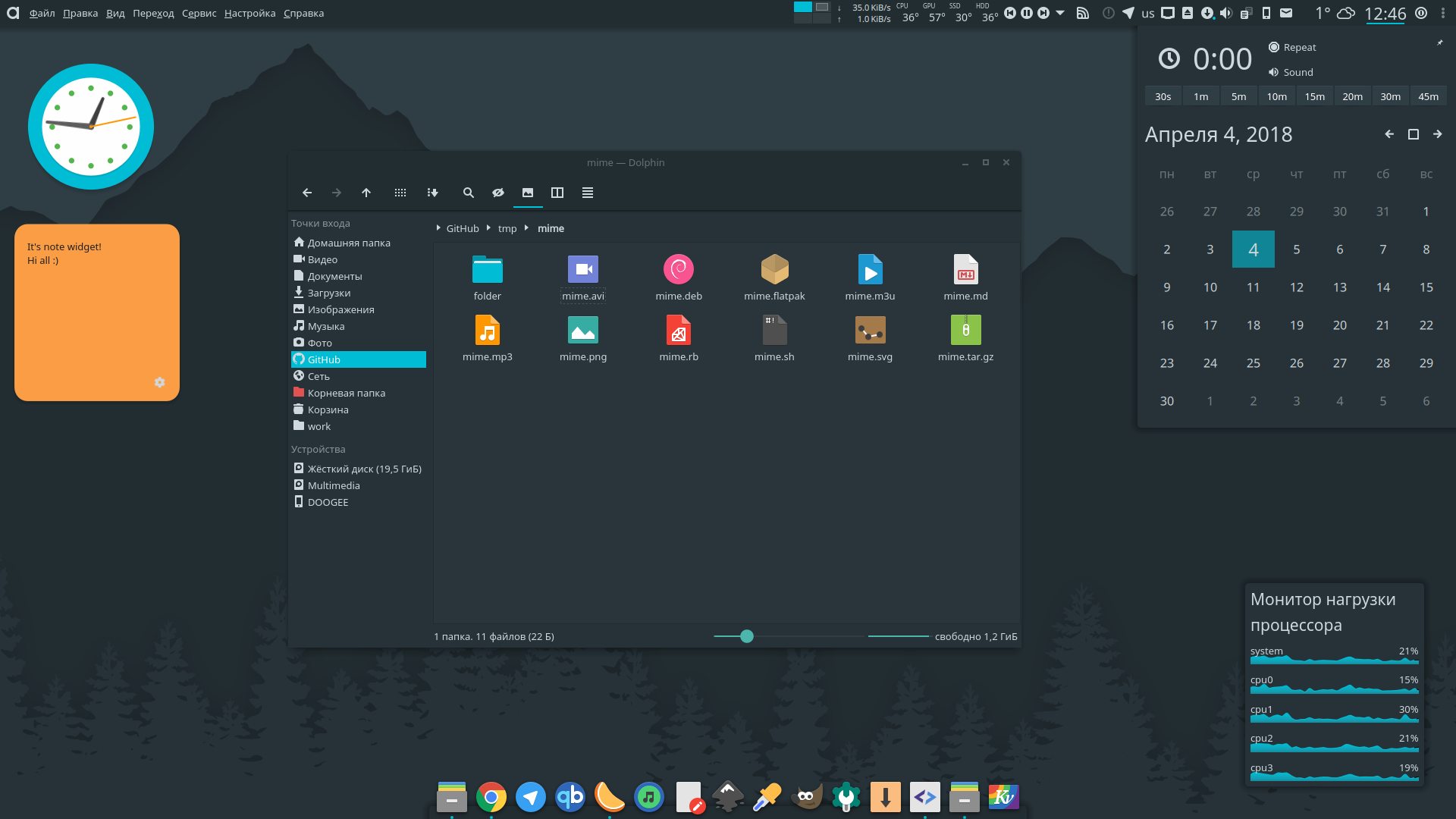 Screenshot: Engine: Kvantum | Kvantum Theme: Adapta Nokto | Aurorae decoration: Adapta | Plasma Theme: Adapta | Icons: Papirus-Adapta-Nokto | File Manager: Dolphin | Dock: Latte Dock | Calendar: Event Calendar
Adapta KDE - This is a port of the popular GTK theme Adapta for Plasma 5 desktop with a few additions and extras.
In this repository you'll find:
- Aurorae Theme
- Konsole Color Schemes
- Kvantum Themes
- Plasma Color Schemes
- Plasma Desktop Theme
- Plasma Look-and-Feel Settings
- Wallpaper
- Yakuake Skins
Installation
Ubuntu and derivatives
You can install adapta-kde from our official PPA:
sudo add-apt-repository ppa:papirus/papirus
sudo apt-get update
sudo apt-get install --install-recommends adapta-kde
or download .deb packages from here.
Adapta KDE Installer
Use the script to install the latest version directly from this repo (independently on your distro):
Install
wget -qO- https://raw.githubusercontent.com/PapirusDevelopmentTeam/adapta-kde/master/install.sh | sh
Uninstall
wget -qO- https://raw.githubusercontent.com/PapirusDevelopmentTeam/adapta-kde/master/install.sh | uninstall=true sh
Third-party packages
Packages in this section are not part of the official repositories. If you have a trouble or a question please contact with package maintainer.
| Distro | Maintainer | Package |
|---|---|---|
| Arch Linux | Bruno Pagani | sudo pacman -S adapta-kde kvantum-theme-adapta [link] |
| Arch Linux | Jan Neumann | adapta-kde-git AUR |
| openSUSE | Konstantin Voinov | adapta-kde OBS [link] |
NOTE: If you maintainer and want be in the list please create an issue or send a pull request.
Recommendations
For better looking please use this pack with Kvantum engine.
Run
kvantummanagerto choose and apply Adapta or Adapta Nokto theme.Install Papirus-Adapta icon theme for a more consistent and beautiful experience.
Set tree menu view for systemsettings
On systemsettings set Noto Sans font for title, menu and toolbar
For better looking use toolbar icons without text with 16px size (for Papirus themes)
Hacks for small screen resolution
- Install widgets Active Window Control & Application Menu and move to panel
- Disable window buttons & titlebar on decoration:
open rc-file on aurorae theme and set:
ButtonHeight=0
ButtonWidth=0
TitleHeight=0
TitleEdgeTop=0
- Use GTK3-noCSD script
Known issues
- On some propietary video drivers Aurorae have wrong rendering by default with Adapta theme. See more info here
Donate
If you like my project, you can donate at:

License
GNU GPL v3