
adriankarlen/bar.wezterm
A configurable tab bar with batteries included.
🍺 bar.wezterm
A tab bar configuration for wezterm, this configuration is heavily inspired by rose-pine/tmux.
📷
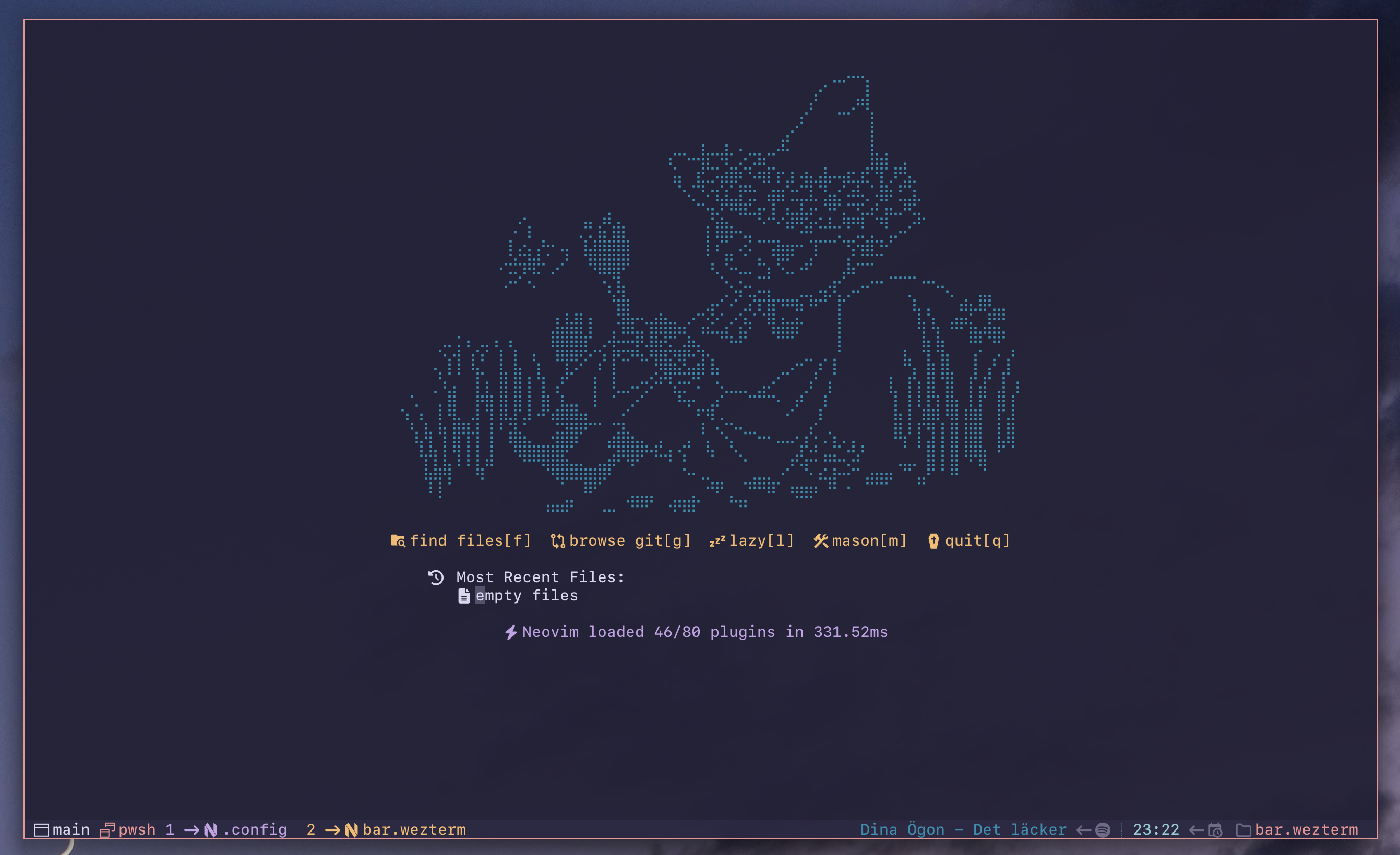
🌷 Rosé Pine

😸 Catppuccin Mocha

📋 Prerequisites
[!IMPORTANT] The plugin will not work if
config.enable_tab_baris set tofalse. Make sure the tab bar is enabled (this is the default wezterm behavior, so you only need to act if you have explicitly disabled it).
🔐 SSH
The SSH module detects when the active pane is running an SSH session and displays an indicator in the right status bar. When enabled, it automatically hides the cwd module during SSH sessions, since the remote working directory is not available to WezTerm without OSC 7 configuration on the remote host.
[!NOTE] bar.wezterm ships with this module disabled, please check example in Configuration on how to enable it.
🎵Spotify
In order for the spotify integration to work you need to have spotify-tui installed on you system. Follow their installation instructions on how to set it up.
[!NOTE] bar.wezterm ships with this module disabled, please check example in Configuration on how to enable it.
🚀 Installation
This is a wezterm plugin. It can be installed by importing the repo and calling the apply_to_config-function. It is important that the apply_to_config-function is called after color_scheme has been set.
local bar = wezterm.plugin.require("https://github.com/adriankarlen/bar.wezterm")
bar.apply_to_config(config)
[!NOTE] This assumes that you have imported the wezterm module and initialized the config-object.
🛠️ Configuration
The apply_to_config-function takes a second param opts. To override any options simply pass a table of the desired changes.
-- example enable spotify module
bar.apply_to_config(
  config,
  {
    modules = {
      spotify = {
        enabled = true,
      },
    },
  }
)
🏭 Default configuration
[!IMPORTANT] The default config requires that you are using a Nerd Font or has "Symbols Nerd Font" installed on your system so wezterm can default to it.
local config = {
  position = "bottom",
  max_width = 32,
  padding = {
    left = 1,
    right = 1,
    tabs = {
      left = 0,
      right = 2,
    },
  },
  separator = {
    space = 1,
    left_icon = wez.nerdfonts.fa_long_arrow_right,
    right_icon = wez.nerdfonts.fa_long_arrow_left,
    field_icon = wez.nerdfonts.indent_line,
  },
  modules = {
    tabs = {
      active_tab_fg = 4,
      active_tab_bg = "transparent",
      inactive_tab_fg = 6,
      inactive_tab_bg = "transparent",
      new_tab_fg = 2,
      new_tab_bg = "transparent",
    },
    workspace = {
      enabled = true,
      icon = wez.nerdfonts.cod_window,
      color = 8,
    },
    leader = {
      enabled = true,
      icon = wez.nerdfonts.oct_rocket,
      color = 2,
    },
    zoom = {
      enabled = false,
      icon = wez.nerdfonts.md_fullscreen,
      color = 4,
    },
    pane = {
      enabled = true,
      icon = wez.nerdfonts.cod_multiple_windows,
      color = 7,
    },
    username = {
      enabled = true,
      icon = wez.nerdfonts.fa_user,
      color = 6,
    },
    hostname = {
      enabled = true,
      icon = wez.nerdfonts.cod_server,
      color = 8,
    },
    clock = {
      enabled = true,
      icon = wez.nerdfonts.md_calendar_clock,
      format = "%H:%M",
      color = 5,
    },
    cwd = {
      enabled = true,
      icon = wez.nerdfonts.oct_file_directory,
      color = 7,
    },
    ssh = {
      enabled = false,
      icon = wez.nerdfonts.md_ssh,
      color = 5,
    },
    spotify = {
      enabled = false,
      icon = wez.nerdfonts.fa_spotify,
      color = 3,
      max_width = 64,
      throttle = 15,
    },
  },
}
🎨 Colors
Every ansi color used is configurable, to change a color, pass in the desired
ansi code to use for a specific setting. You can use either an ansi color index
(number) or a hex color string (e.g., "#c6a0f6").
Tab background colors can be configured via the modules.tabs options:
bar.apply_to_config(config, {
  modules = {
    tabs = {
      active_tab_fg = 1,
      active_tab_bg = 6,           -- ansi color index
      -- or use a hex color:
      -- active_tab_bg = "#c6a0f6",
    },
  },
})
🖌️ Color table
| Config option | Default |
|---|---|
active_tab_fg |
4 |
active_tab_bg |
transparent |
inactive_tab_fg |
6 |
inactive_tab_bg |
transparent |
new_tab_fg |
2 |
new_tab_bg |
transparent |
📜 License
This project is licensed under the MIT License - see the LICENSE file