
Themes for non-GTK apps > Obsidian Adwaita Theme
Obsidian theme in the style of GNOME Adwaita.
Obsidian Adwaita Theme
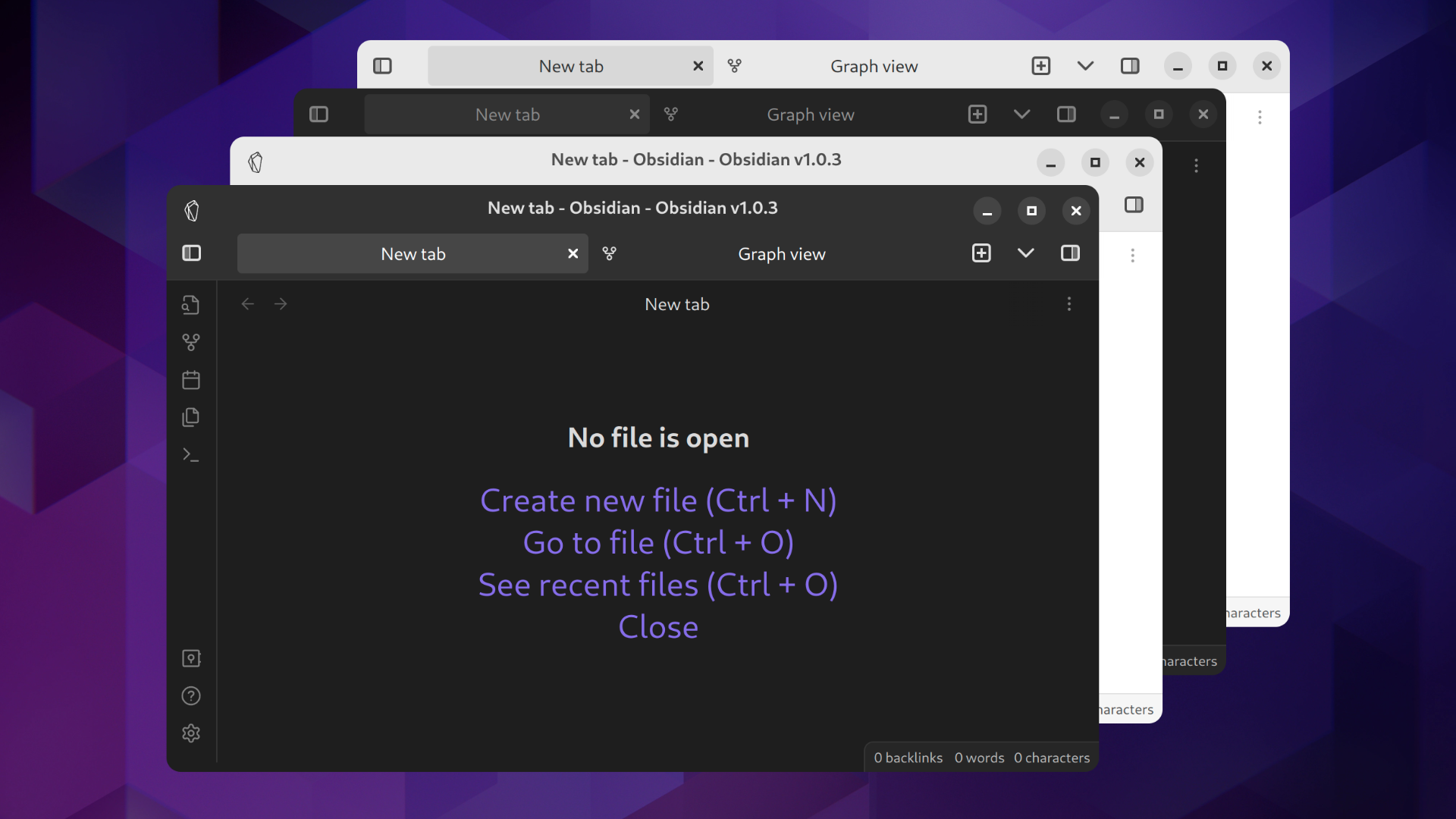
This is an Obisidian theme in the style of Gnome Adwaita. The goal of this project is to make Obsidian look more native on Gnome Desktop Environments like on Ubuntu or Fedora.
Features
Window ButtonsTabsIconsDark and Light ThemeChange under |
ColorsFontStyle Settings Plugin SupportFor customization see Style Settings. TBD Rounded Window CornersAs a workaround use the Rounded Window Corners Gnome Extension. |
Installation
Obsidian Community Theme Store
- In Obsidian go to
Settings > Options > Appearance > Themes > Managesearch forAdwaita - Click
Install and use - Optionally install the Obsidian Style Settings Plugin for customization. Adjust under
Settings > Community Plugins > Style Settings > Adwaita
Automatic
- Install just
- Set
OBSIDIAN_HOMEenvironment variable to your vault path - run
just install - In Obsidian go to
Settings > Options > Appearance > Themesand select theAdwaitatheme - Optionally install the Obsidian Style Settings Plugin for customization. Adjust under
Settings > Community Plugins > Style Settings > Adwaita
Manual
- create a
.obsidian/themes/Adwaitadirectory in your Obsidian vault - Copy
theme.cssandmanifest.jsonto the createdAdwaitafolder - In Obsidian go to
Settings > Options > Appearance > Themesand select theAdwaitatheme - Optionally install the Obsidian Style Settings Plugin for customization. Adjust under
Settings > Community Plugins > Style Settings > Adwaita
Build
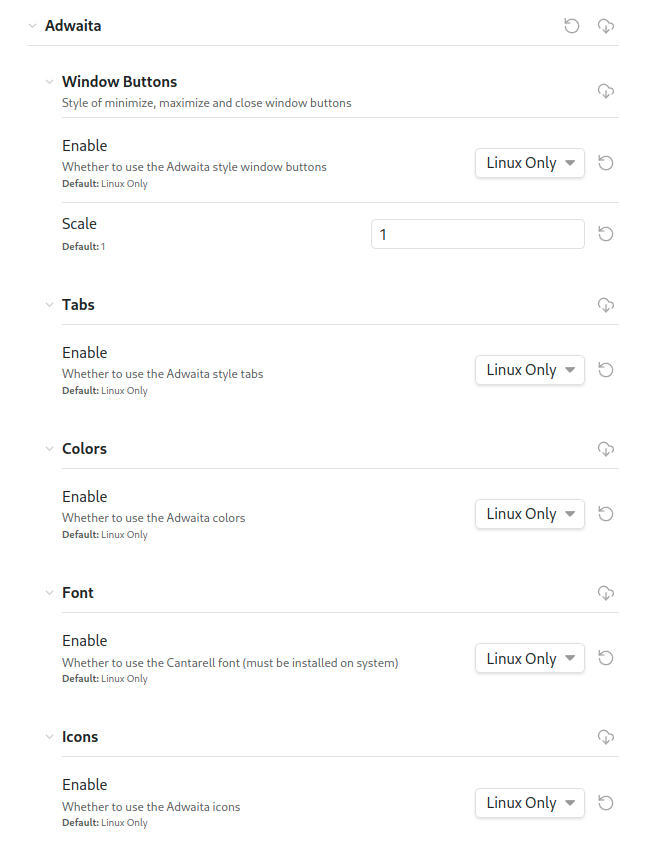
Style Settings
Requires the Obsidian Style Settings Plugin.
Adjust under Settings > Community Plugins > Style Settings > Adwaita.
Contribution
Feel free to create Issues and Pull Requests.