
Emoji picker
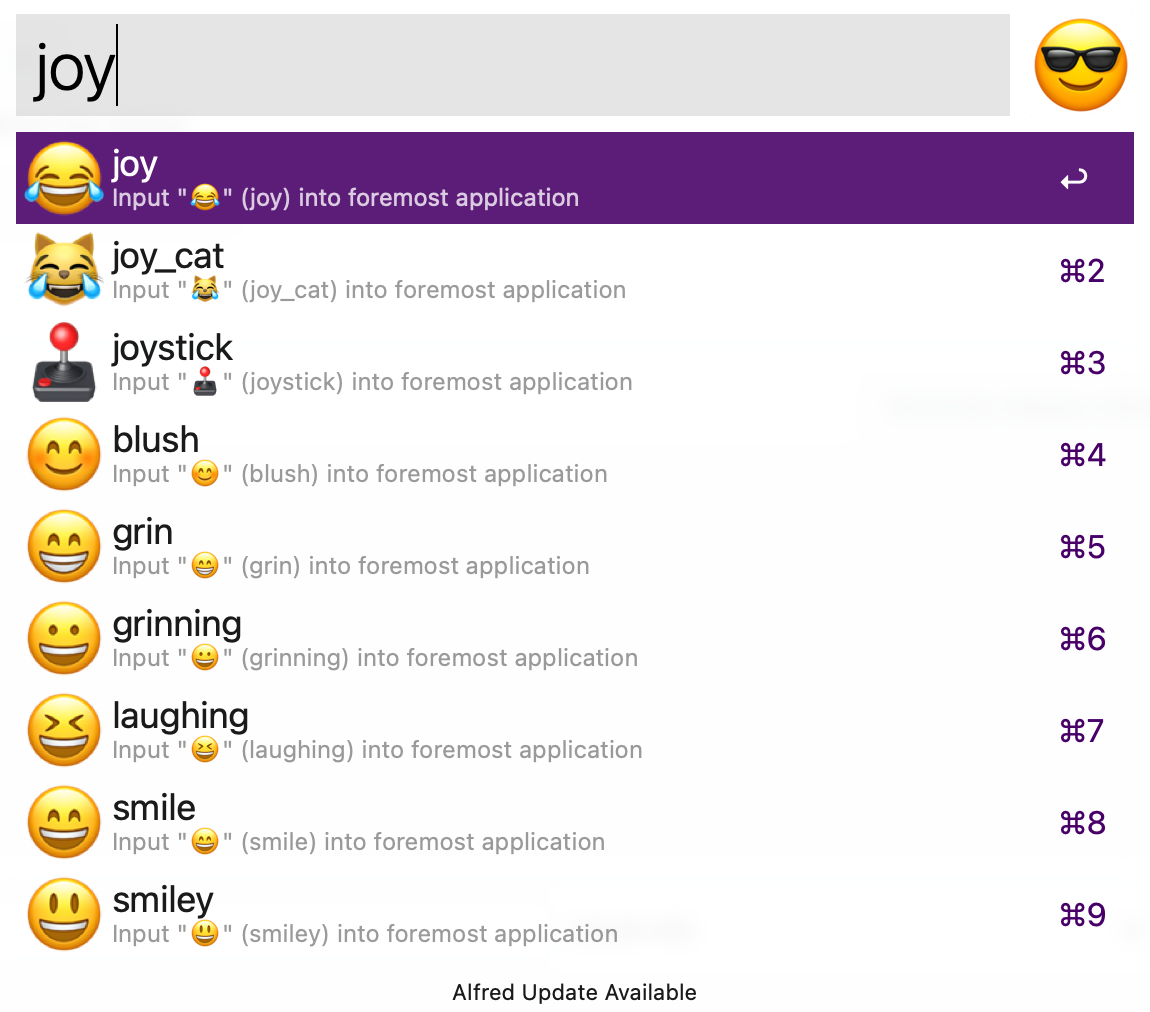
Fast emoji input.
Alfred emoji picker
Input emojis from Alfred — at a blazing-fast speed!
Install
- Download the workflow from the latest release.
- Open the file and import it into Alfred.
- Click on the workflow in Alfred and define a hotkey.
👉 I recommend using Command ⌘ Control ⌃ Space
Build
go install

./build.sh
Copy the executable in the Alfred workflow directory and export the new workflow from Alfred.
Update emojis
Emoji metadata (names, slugs, keywords) lives in the
turtlemodule. Check the README on how to regenerateemojis.goto make it up-to-date, and push a new tag.Bump the dependency of
alfred-emoji-pickerviago get github.com/devnoname120/turtle@latest.Re-render the PNGs from the current Apple Color Emoji font and re-optimize them (macOS only; requires uv,
pngquant, andoxipng):uv run --project scripts scripts/emojis-generator.py ./gen-emojis.sh
TODO
- Restore clipboard after pasting emoji
- Support for multiple words fuzzy search
- Add scoring on results (exact match > partial match at beginning > partial match > keywords, categories, etc…)
- Add scripts to update the emoji database
- Support for auto-updates
- Support for skin tones (note:
Turtledoesn't support them)