[!TIP]
My latest project, aube just hit stable! It's the fastest Node.js package manager with strong security defaults and is compatible with npm/pnpm/yarn lockfiles!
What is it?
mise prepares your development environment before each command runs. It keeps
project tools, environment variables, and tasks in one mise.toml file so new
shells, checkouts, and CI jobs all start from the same setup.
Install and switch between dev tools like node, python, cmake, terraform, and hundreds more.
Load environment variables per project directory, including values from .env files and other sources.
Define and run tasks for building, testing, linting, and deploying projects.
Demo
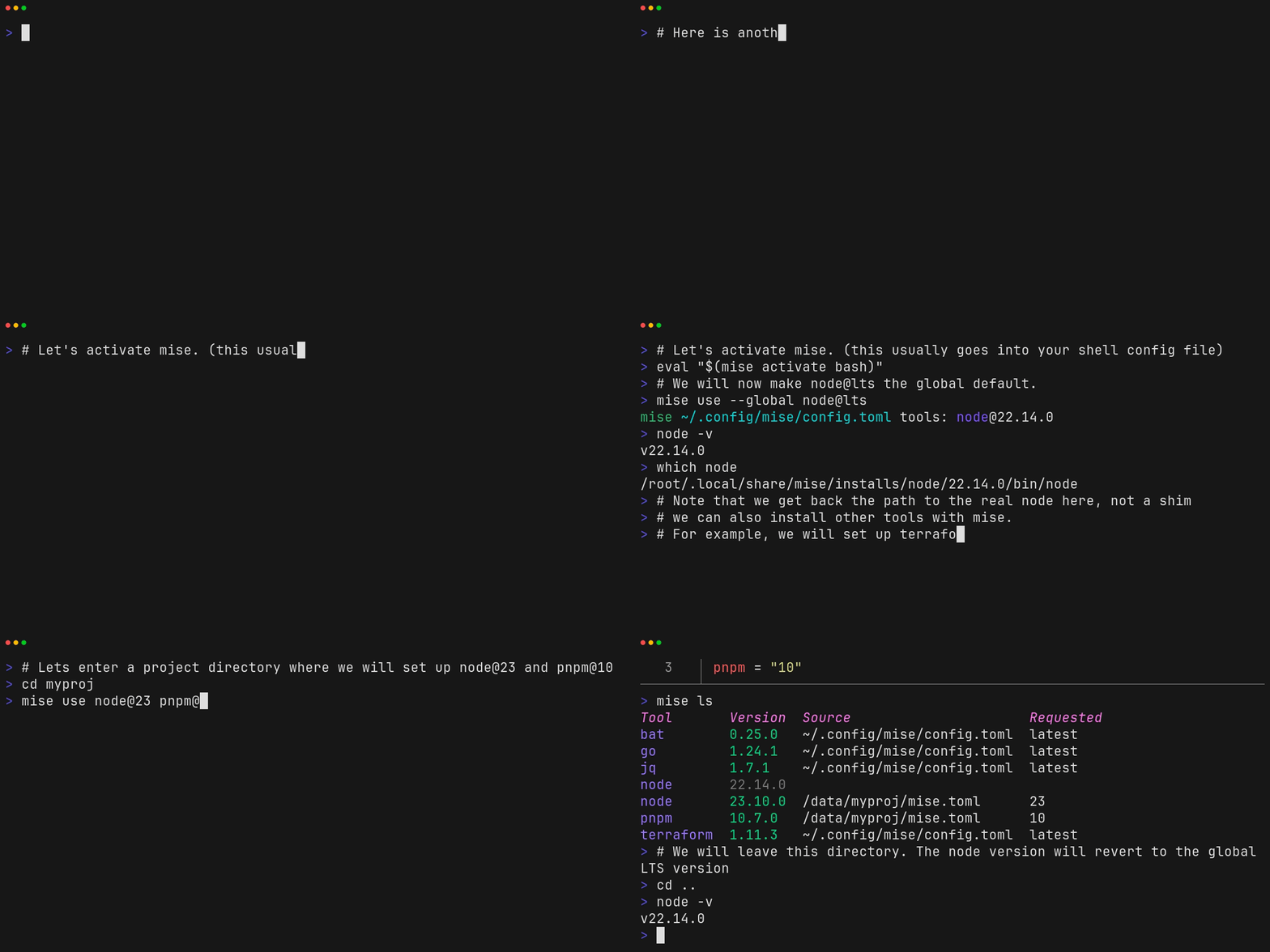
The following demo shows how to install and use mise to manage multiple versions of node on the same system.
Note that calling which node gives us a real path to node, not a shim.
It also shows that you can use mise to install and many other tools such as jq, terraform, or go.
Hook mise into your shell (pick the right one for your shell):
# note this assumes mise is located at ~/.local/bin/mise
# which is what https://mise.run does by default
echo 'eval "$(~/.local/bin/mise activate bash)"' >> ~/.bashrc
echo 'eval "$(~/.local/bin/mise activate zsh)"' >> ~/.zshrc
echo '~/.local/bin/mise activate fish | source' >> ~/.config/fish/config.fish
echo '~/.local/bin/mise activate pwsh | Out-String | Invoke-Expression' >> ~/.config/powershell/Microsoft.PowerShell_profile.ps1
Execute commands with specific tools
$ mise exec node@26 -- node -v
mise node@26.x.x ✓ installed
v26.x.x
Install tools
$ mise use --global node@26 go@1
$ node -v
v26.x.x
$ go version
go version go1.x.x macos/arm64
Due to the volume of issue submissions mise received, using GitHub Issues became unsustainable for
the project. Instead, mise uses GitHub Discussions which provide a more community-centric platform
for communication and require less management on the part of the maintainers.
Please note the following discussion categories, which match how issues are often used: