
obs-shotlister
Camera shot queue manager for live productions with OBS Studio integration, LAN web monitoring, and OSC support.
OBS Queuer
Camera shot queue manager for live productions(something like cuepilot but without the timecode). Runs as an Electron desktop app with an embedded web server so phone browsers on the same LAN can monitor the live shot list.
Screenshots
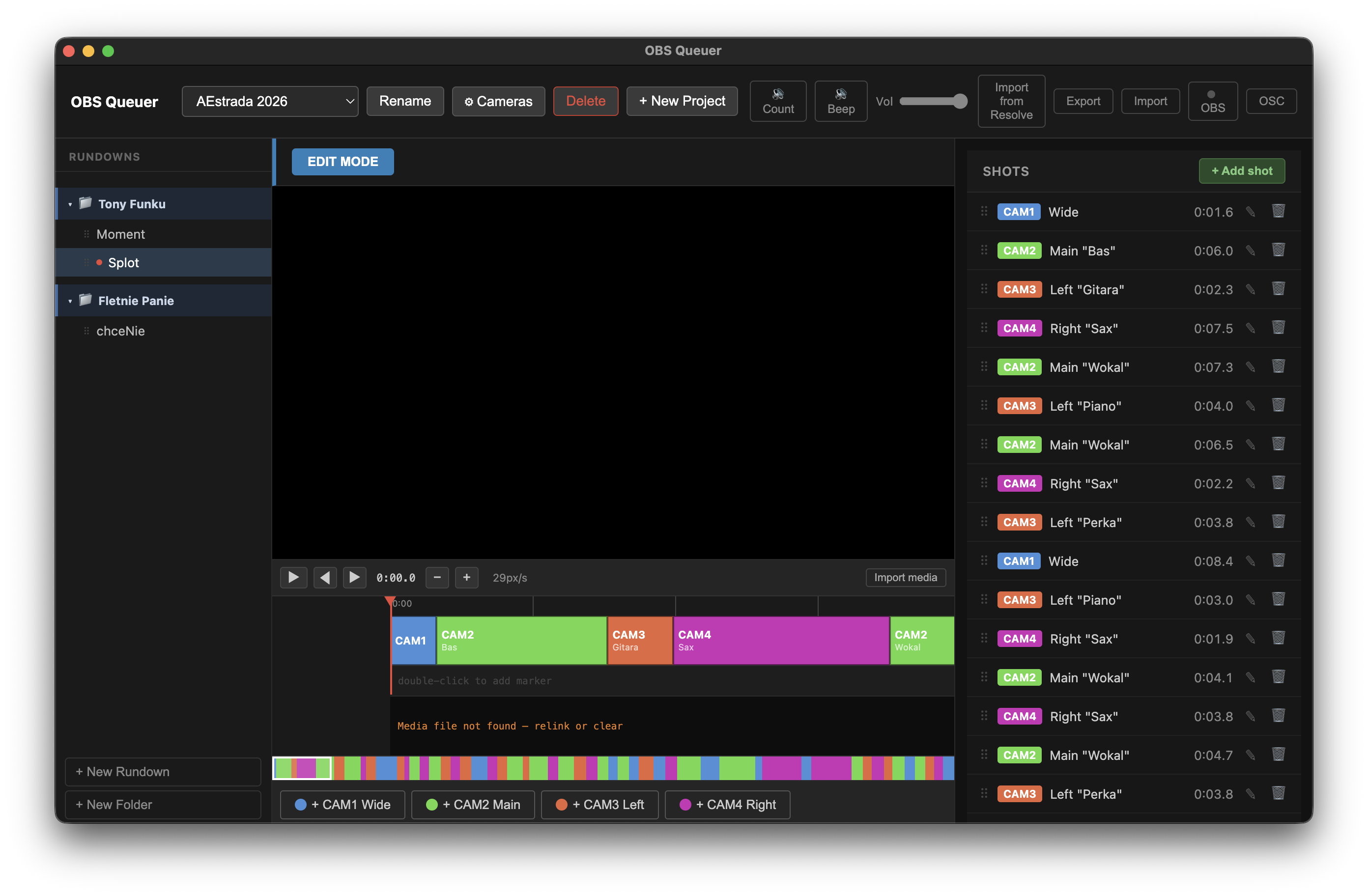
Edit mode
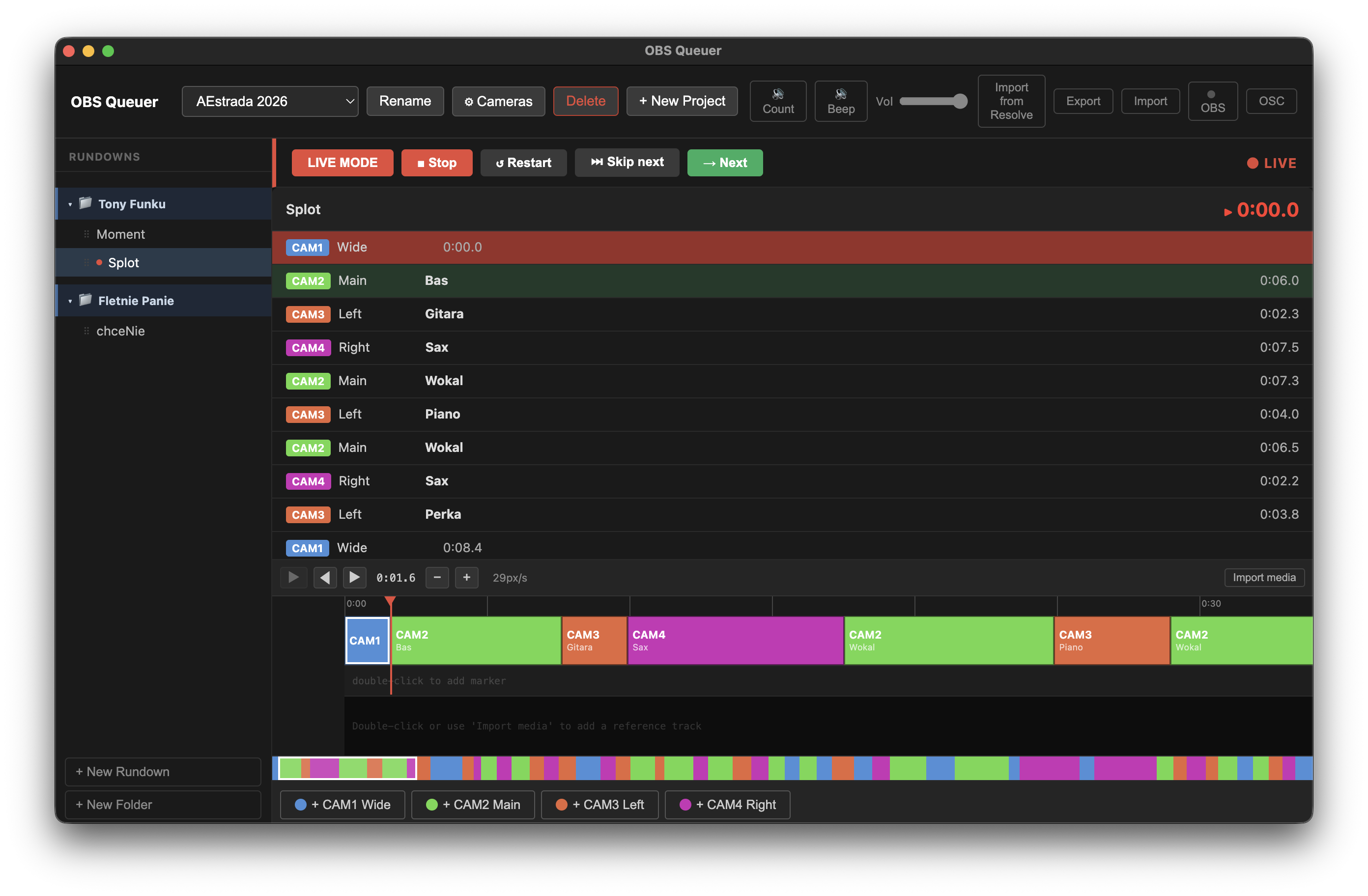
Live mode
Features
- Shot list & rundowns — organize shots into rundowns with per-camera color coding
- Timeline editor — visual timeline with drag-to-resize shots, split at playhead, camera assignment
- Live mode — advance through shots with progress tracking; skipped shots are hidden in-memory (no DB writes)
- OBS integration — switches scenes via obs-websocket; validates studio mode and scene names
- Phone monitor — embedded Express + Socket.io server pushes state to LAN browsers in real time
- OSC server — accept
/obsque/nextand/obsque/skipcommands from external controllers - DaVinci Resolve import — import shot list from Resolve CSV marker export
- Export / Import — rundown, project, or full database in JSON
Tech stack
| Layer | Tech |
|---|---|
| Desktop shell | Electron 29 |
| Renderer UI | React 18 + Vite |
| Phone UI | React (separate Vite bundle) |
| State | Zustand |
| Persistence | SQLite via better-sqlite3 |
| OBS | obs-websocket-js |
| Web server | Express + Socket.io + ws |
| OSC | node-osc |
Getting started
Prerequisites
- Node.js 20+
- Yarn 1.x
- OBS Studio with obs-websocket plugin (built-in since OBS 28)
Install
yarn install
Development
yarn dev
Starts Electron with Vite hot reload.
Production build
yarn build   # compile all targets
yarn dist    # build + package (current platform)

# Platform-specific:
yarn dist:mac
yarn dist:win
yarn dist:linux
Tests
yarn test        # single run
yarn test:watch  # watch mode
Lint / format
yarn lint
yarn format
Configuration
All settings are stored in SQLite and configured from the app UI.
| Setting | Where |
|---|---|
| OBS WebSocket host/port/password | Header → OBS button |
| OSC server port | Header → OSC button |
| Camera names, colors, OBS scene mappings | Header → project name → Cameras |
| Web server port | src/main/server/index.ts (default 3000) |
Phone monitor
Open http://<machine-ip>:3000 in any browser on the same LAN. The page auto-connects and shows the live shot list with timers.
OSC server
The embedded OSC server lets external hardware (foot pedals, stream decks via TouchOSC, etc.) control playback.
Enable: Header → OSC button → toggle on, set port, Save.
Default port: 8000
Bind address: 0.0.0.0 (all interfaces)
Supported messages
| Address | Action |
|---|---|
/obsque/next |
Advance to next shot (same as Space) |
/obsque/skip |
Skip the next queued shot (same as →) |
No arguments are read — any OSC message to the above address triggers the action.
Example (Python)
from pythonosc.udp_client import SimpleUDPClient

client = SimpleUDPClient("192.168.1.100", 8000)
client.send_message("/obsque/next", [])
client.send_message("/obsque/skip", [])
Keyboard shortcuts
Live mode
| Key | Action |
|---|---|
Space |
Start / advance to next shot |
→ |
Skip next shot |
Edit mode (timeline focused)
| Key | Action |
|---|---|
Space |
Play / pause video |
1–9 |
Split at playhead and assign camera number |
L |
Stop playback and open label edit for current shot |
Data model
Project
  └── Camera[]  (number, name, color, OBS scene)
  └── Rundown[]
        └── Shot[]  (camera, duration, label, transition)
        └── Marker[]
Live progress (current shot index, started-at timestamp) is kept in memory only and never written to the database. Stopping live mode discards all progress.
Architecture
OBS ←→ obs-websocket ←→ Electron main ←→ SQLite
                               ↕ IPC
                         Electron renderer (React)
                               ↕ Socket.io / WebSocket
                         Phone browsers (LAN)
TODO
add casparcg support
add proxy for phones to avoid overstressing video switcher or app which will play audio comunicates
camera filter selector should persists because this is based on the current project not rundown
export specific rundown, project or whole db
checkbox do aktualizacji preview
Edytor shotów powinien zniknąć i zamiast niego powinien być inspektor z lewej
- kafelek ustawień
- niektóre transitions w obs maja fixed duration. domyslnie tylko cut i fade
Odtwarzanie video niewydajne - video loading and video managing should be in await or diffrent thread not to harm the main app
Usuwanie rundownów/projektów w innym miejscu
Checkbox for reexecuting preview doesn't work
sometimes audio fires at the same time
add audio counting 20, 15, 10, 5
editing timeline in live mode should be forgidden
waveform generation and video playback on large files
Error occurred in handler for 'media:read-file': RangeError [ERR_FS_FILE_TOO_LARGE]: File size (3180545949) is greater than 2 GiB
    at new NodeError (node:internal/errors:406:5)
    at tryCreateBuffer (node:fs:406:13)
    at Object.readFileSync (node:fs:456:14)
    at t.readFileSync (node:electron/js2c/node_init:2:9771)
    at /Users/michal/IT/obs-queuer/out/main/index.js:1380:15
    at WebContents.<anonymous> (node:electron/js2c/browser_init:2:78397)
    at WebContents.emit (node:events:514:28) {
  code: 'ERR_FS_FILE_TOO_LARGE'
}