
️ Utilities (112) > MacPacker
Archive manager for macOS. Preview (nested) archives without extracting them. Extract single files.

MacPacker


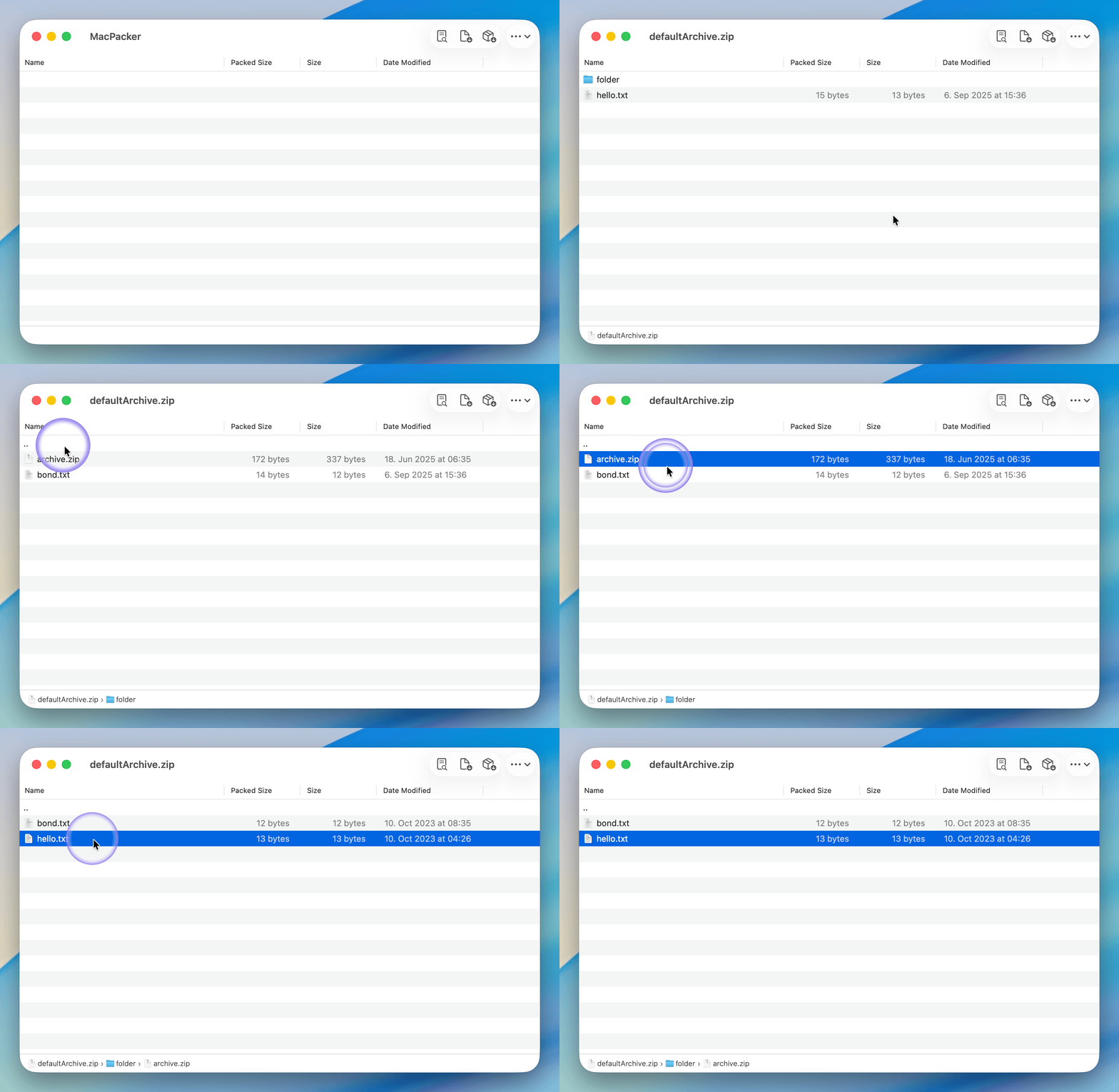
Say hello to MacPacker, the archive manager for macOS. Open source, because essential tools should be free. Preview (nested) archives. Extract selected files. Creating or editing archives will follow. Inspired by 7-Zip, but without any claim to comparability. See the roadmap for more details.
Installation
System Requirements
- macOS 14.6 or later (macOS 13 was supported until v0.14.1, but is no longer supported in v0.15.0 and later)
Option 1: Download from GitHub
Download the .zip file from GitHub Releases. Extract and move the app to the Applications folder. The app is sandboxed, signed, and notarized by Apple.
Option 2: App Store

Option 3: Homebrew
brew install --cask macpacker
Contribution
Translation
MacPacker use POEditor for managing translations. If you want to improve an existing translation or want to add a new language, go to the following page, sign up and make the edits.
Pull Requests
Pull requests are welcome. Please note that MacPacker is in early development and there are still a few breaking changes coming up. Pull requests therefore might need some rework or wait time before they can be merged.
More info on how to contribute and on the architecture of MacPacker will be added soon.
Roadmap
- Navigate through (nested) archives
- Extract selected files via drag & drop to any target
- Breadcrumb for quick navigation
- Support (my) most needed archives .zip, .tar, .lz4
- Extract the full archive at once
- Preview files without extraction
- Finder extensions for quick access to the most important functions
-
Fully fledged internal previewerSystem previewer instead of internal previewer - Support all formats that TheUnarchiver & Keka supports
- Create archives and edit archives (most common ones only)
Building from Source
Prerequisites
- macOS 14.5 or later
- XCode 16 or later
Process
Clone the Repository:
git clone https://github.com/sarensw/MacPacker.git
cd MacPacker
Open the Project in Xcode:
open MacPacker.xcodeprojBuild and Run:
- Click the "Run" button or press
Cmd + R. Watch the magic unfold!
- Click the "Run" button or press
Building with a different signing team (optional):
If you have a different Apple Developer account, create a local signing override:
cp Config/SigningOverride.xcconfig.template Config/SigningOverride.xcconfigThen edit
Config/SigningOverride.xcconfigand set your Team ID. Find your Team ID in Xcode under Settings > Accounts, then select your team. This file is gitignored and will not be committed.