
snippets.uilicious.com
It's like CodePen but for cross-browser testing. UI-licious lets you write tests like user stories and offers a free platform - UI-licious Snippets - that allows you to run unlimited tests on Chrome with no sign-up required for up to 3 minutes per test run. Found a bug? You can copy the unique URL to your test to show your devs exactly how to reproduce the bug.
UI-licious
Website | Docs | Roadmap | Change Log | Contact Support
UI-licious is a tool to automate user journey testing for your website on different browsers and resolutions.
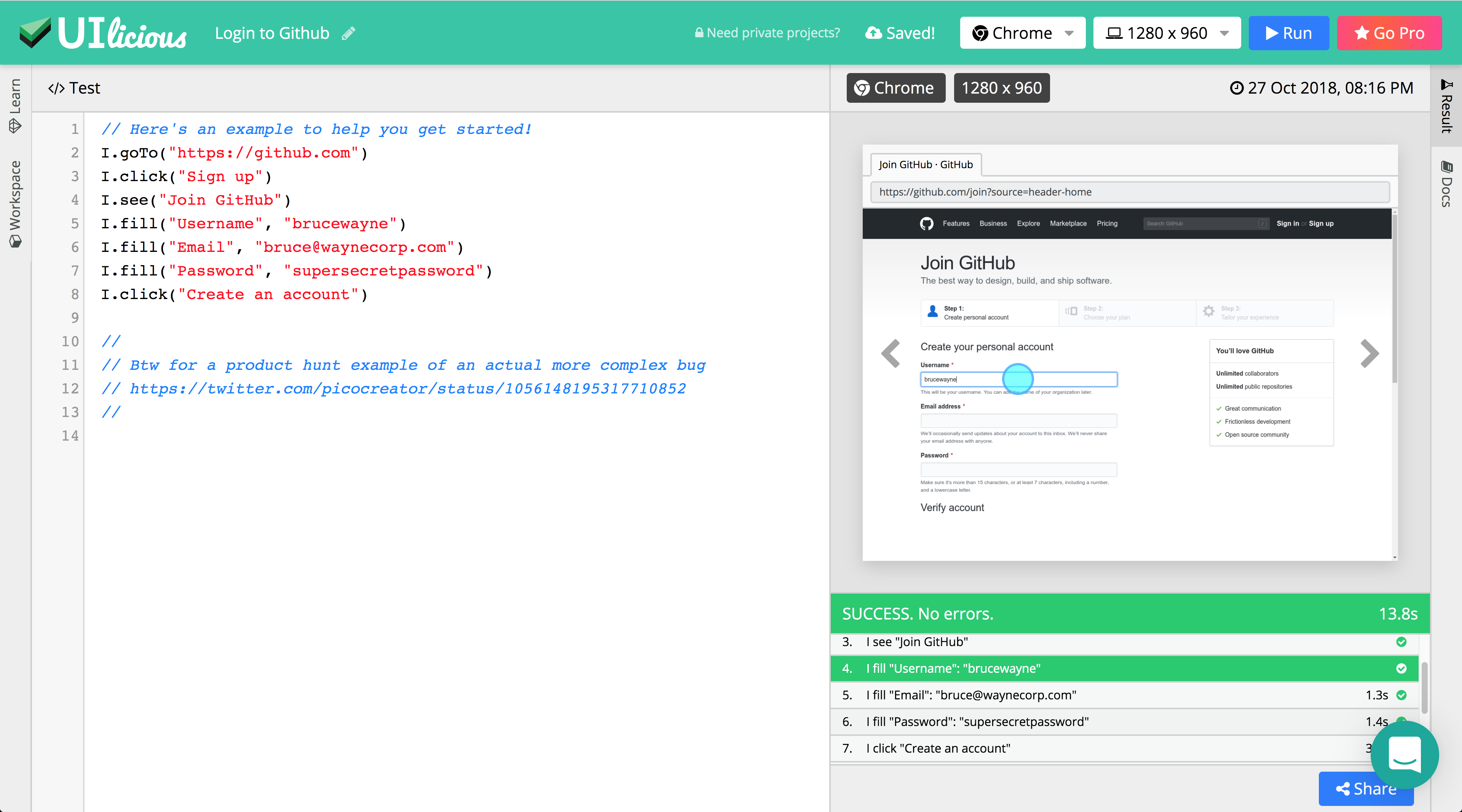
Example:
Here's an example to test the Github's Login flow
I.goTo("https://github.com")
I.click("Sign up")
I.see("Join GitHub")
I.fill("Username", "brucewayne")
I.fill("Email", "bruce@waynecorp.com")
I.fill("Password", "supersecretpassword")
I.click("Create an account")
How is it different from other testing libraries or tools?
UI-licious is a high-level testing language, designed to be written and read by humans.
Unlike other testing libraries or tools, which relies either hard-coding CSS and XPATH selectors into the tests (or on the front-end developers writing The Perfect UI code), UI-licious tests are designed to work regardless of how the UI is implemented.
UI-licious uses dynamic code analysis on your website to evaluate best matches for the target element of the given command based on the semantics of the HTML code and the context of preceding test commands. Your UI code doesn't not have to be perfect, but UI-licious works most accurately when the website uses semantic HTML and ARIA accessibily attributes.
At best, you can write tests that are meaningful, robust, reusable, and easy to maintain.
If not, UI-licious still support CSS and XPATH as a fallback.
What front-end does UI-licious support?
React, Vue, Angular, Polymer, EmberJs, KnockoutJs, JQuery, Vanilla...
UI-licious works on any front-end! UI-licious works on good old static sites, server-sider rendered and modern SPA applications.
Check out examples for: React | Vue | Angular | All
Supported browsers
- Chrome
- Firefox
- Safari
- Microsoft Edge
- Internet Explorer 11
Installation
There's none!
Head over here to create your first test: https://snippet.uilicious.com
Get Started
You can start with the tutorial on https://snippet.uilicious.com, or Read the Docs.
Testing localhost / internal applications
If you are not using a self-hosted version of UI-licious, you can use services like ngrok to temporarily expose your application to a secure public url.
✨ What's UI-licious Studio?
UI-licious Studio is the professional edition of UI-licious, with advanced features such as:
- Projects to organise and manage tests and reports
- Datasets to manage sensitive test data and quickly swap test data between tests
- Jobs to schedule tests and setup error alerts
✨ Command Line Interface
You need to have a UI-licious Studio account to use the Command Line Interface
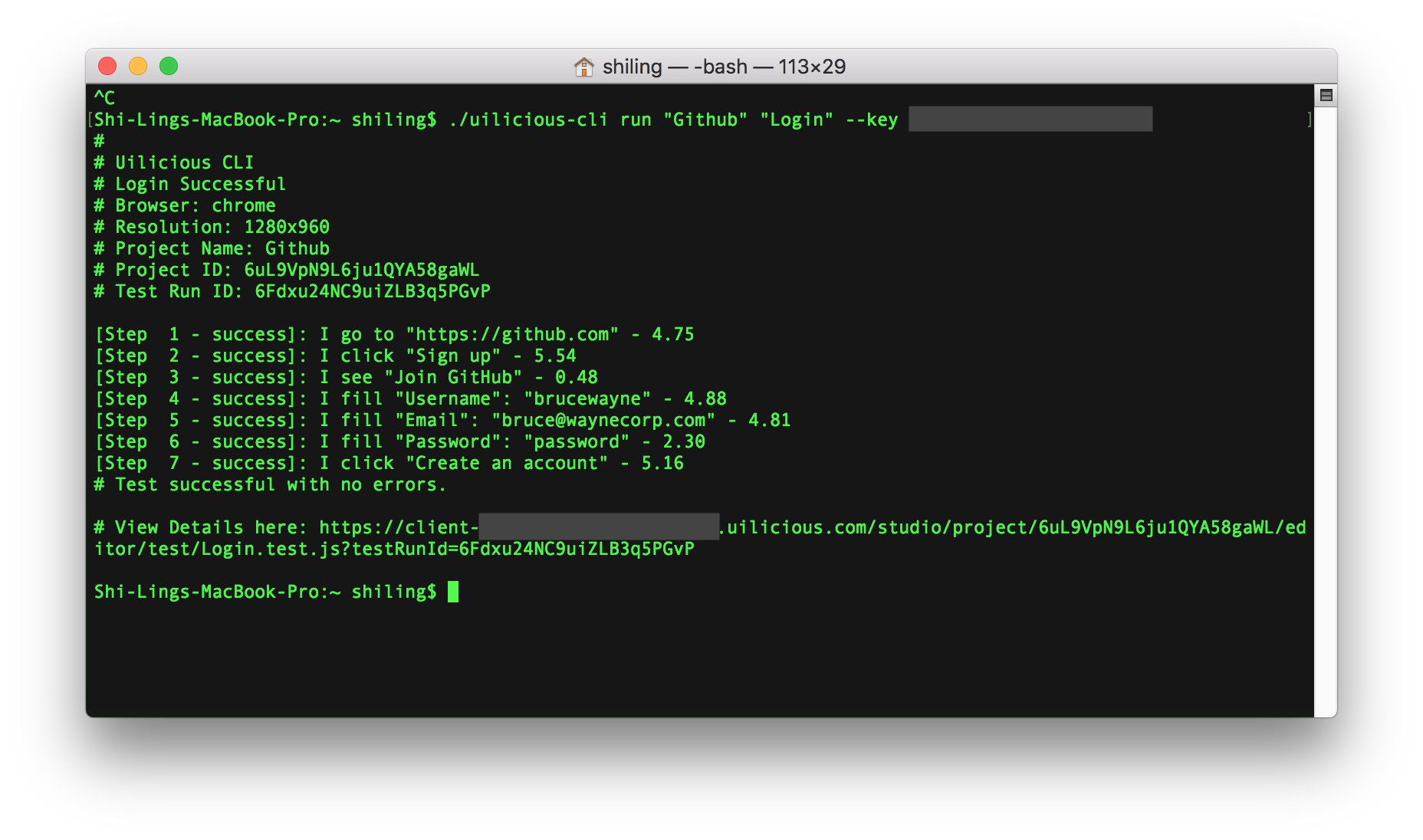
You can execute UI-licious tests using the CLI. This allows you hook tests into your deployment build within your CI/CD tools.
FAQs
Is UI-licious open-source?
No.
Is UI-licious based on Selenium?
Yes in the sense that UI-licious is built on the standard WC3 Webdriver Protocol for Browser Automation, which is based off the Selenium project.
Is there a self-hosted edition?
Please contact us for a commercial license to self-host UI-licious on your servers.