
Professional: Resume > YAMLResume
Resumes as code.
YAMLResume
English | Français | Deutsch | Español | Português | Bahasa Indonesia | 日本語 | 简体中文 | 繁體中文
















📢 News: YAMLResume GitHub Action has been released! Automate your resume PDF generation directly in your CI/CD pipeline. Check out the documentation and the announcement blog post.
Writing resumes may not be hard, but it is definitely not fun and it's tedious.
YAMLResume allows you to manage and version control your resumes using YAML and makes generating professional looking PDFs with beautiful typesetting a breeze.
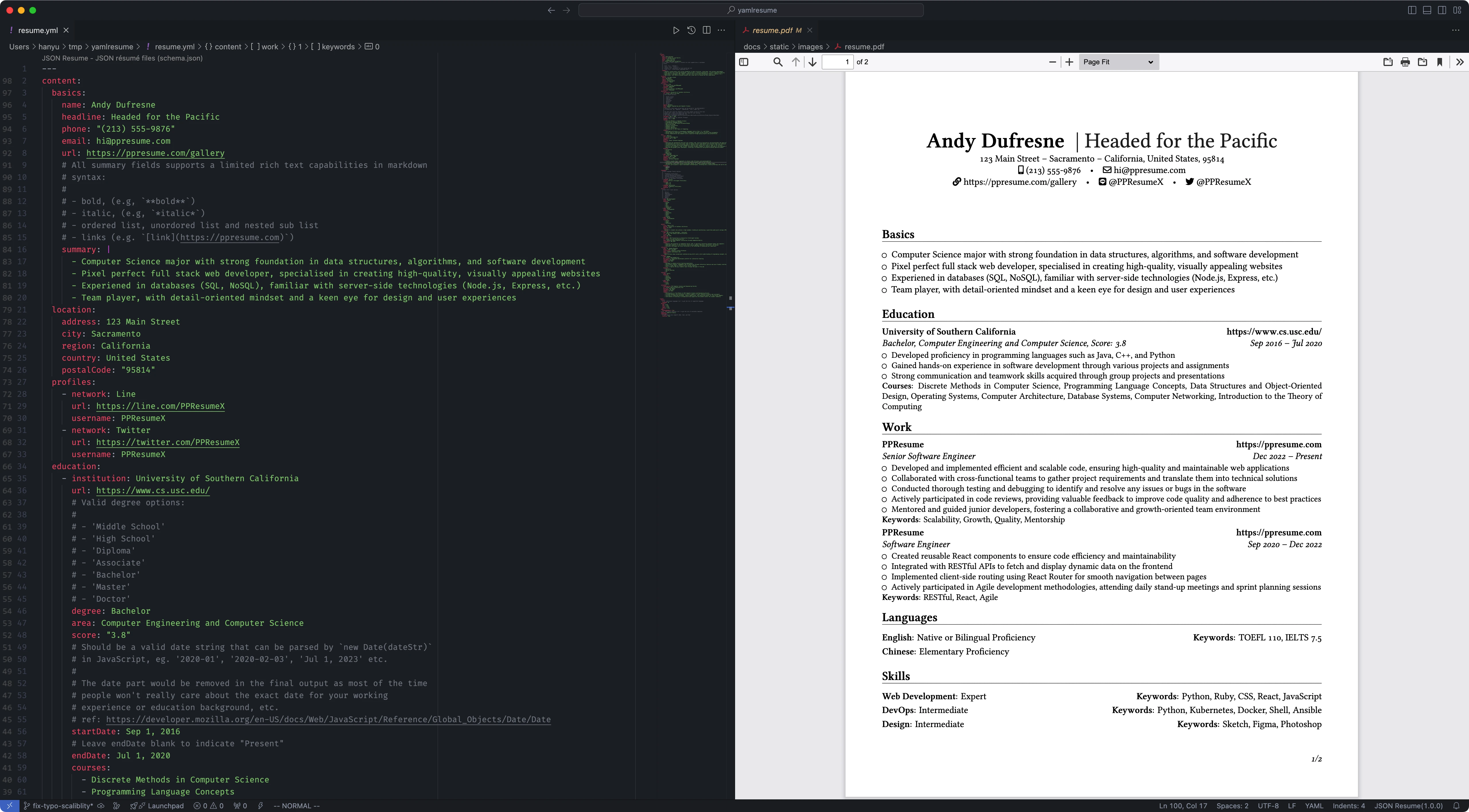
The Design Principle
This project started as the core typesetting engine for PPResume, a LaTeX based, pixel perfect resume builder. After careful consideration, we decided to open source it so people can always have the right to say no to vendor lock-in.
The core design principle behind YAMLResume is Separation of Concerns. One of the best-known examples of this principle is HTML and CSS, which form the foundation of the modern web. HTML defines webpage content, and CSS styles that content.
Following this principle, we designed YAMLResume with the following requirements in mind:
- the resume content is drafted in plain text
- the plain text is structured using YAML—YAML is better than JSON because it is more human-readable and human-writable
- the YAML plain text is then rendered into a PDF with a pluggable typesetting engine
- the layout can be adjusted with options like font sizes, page margins, etc.
Quick Start
If you have Docker installed, you can get started with yamlresume in one
second, this package includes yamlresume and all of its dependencies:

Alternatively, you can install yamlresume using your favorite package
manager:
# NPM
$ npm install -g yamlresume

# Yarn
$ yarn global add yamlresume

# pnpm
$ pnpm add -g yamlresume

# Bun
$ bun add -g yamlresume

# Homebrew
$ brew install yamlresume
Verify that yamlresume installed successfully:
$ yamlresume help
Usage: yamlresume [options] [command]

YAMLResume — Resume as Code in YAML

 __   __ _    __  __ _     ____
 \ \ / // \  |  \/  | |   |  _ \ ___  ___ _   _ ___  ___   ___
  \ V // _ \ | |\/| | |   | |_) / _ \/ __| | | / _ \/ _ \ / _ \
   | |/ ___ \| |  | | |___|  _ <  __/\__ \ |_| | | | | | |  __/
   |_/_/   \_\_|  |_|_____|_| \_\___||___/\____|_| |_| |_|\___|


Options:
  -V, --version                  output the version number
  -v, --verbose                  verbose output
  -h, --help                     display help for command

Commands:
  new [filename]                 create a new resume
  build [options] <resume-path>  build a resume to LaTeX and PDF
  dev [options] <resume-path>    build a resume on file changes (watch mode)
  languages                      i18n and l10n support
  templates                      manage resume templates
  validate <resume-path>         validate a resume against the YAMLResume schema
  help [command]                 display help for command
You then need to install a typesetting engine, either XeTeX or Tectonic in order to generate PDFs.
Last but not least, we recommend you install the Linux Libertine font in order to get the best looking PDFs.
Check out our installation guide for more details.
Create a new resume
You can create your own resume by cloning one of our sample resumes here. Once you have the sample resume on your computer, you can generate a PDF with:
$ yamlresume new my-resume.yml
✔ Created my-resume.yml successfully.

$ yamlresume build my-resume.yml
✔ Generated resume tex file successfully: my-resume.tex
◐ Generating resume pdf file with command: xelatex -halt-on-error my-resume.tex...
✔ Generated resume pdf file successfully: my-resume.pdf
✔ Generated resume markdown file successfully: my-resume.md
✔ Generated resume html file successfully: my-resume.html
You can also use the dev command to
rebuild the resume on each file change, which provides a modern web
development-like experience:
$ yamlresume dev my-resume.yml
✔ Generated resume tex file successfully: my-resume.tex
◐ Generating resume pdf file with command: xelatex -halt-on-error my-resume.tex...
◐ Watching file changes: my-resume.yml...
✔ Generated resume pdf file successfully: my-resume.pdf
✔ Generated resume markdown file successfully: my-resume.md
Check out the generated PDF here.
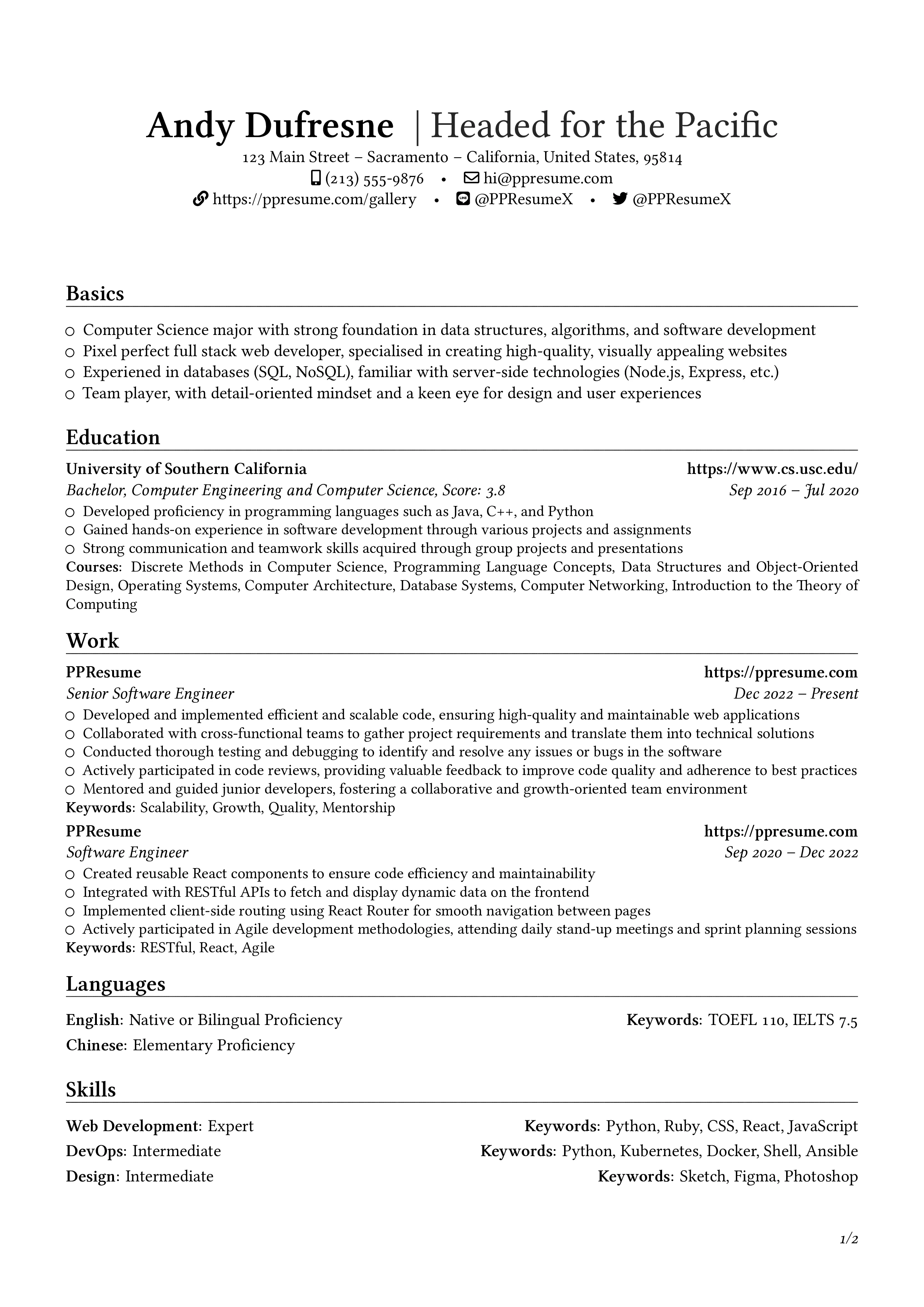
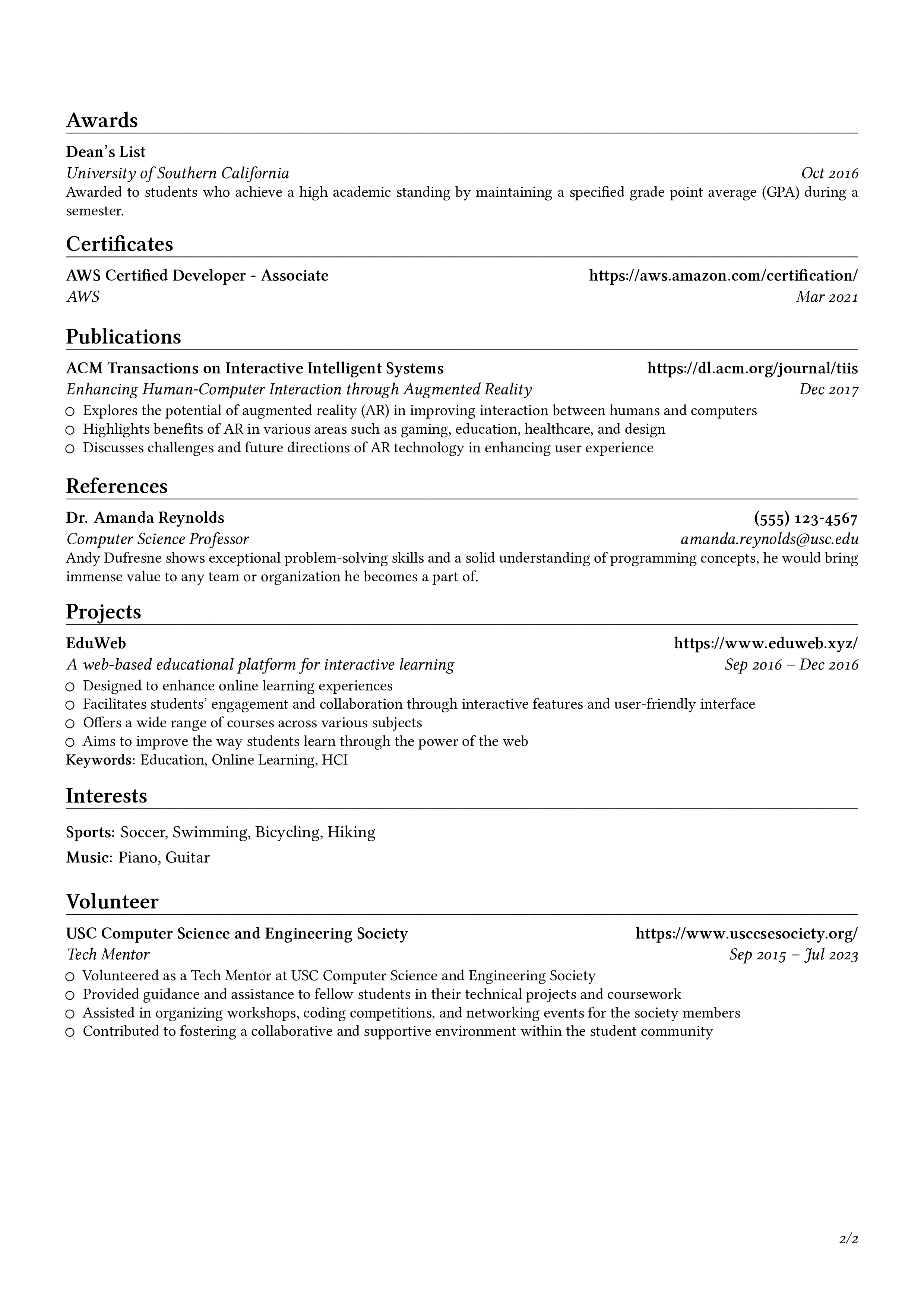
PPResume Gallery provides a showcase of all the possible types of resumes, categorized by languages and templates.
Validating resumes
YAMLResume provides a builtin schema which you can use to validate resumes and avoid low level mistakes. Check out the following demo to see it in action:

Typesetting
YAMLResume uses LaTeX as its default typesetting engine, which is the state of the art typesetting system in the academic and technical publishing industry.
It also supports HTML/CSS based layout engines, which allows you to generate web-friendly resumes.
By following a series of best practices, YAMLResume always guarantees you Pixel Perfect resumes.
Ecosystem
YAMLResume provides a set of tools to help you create, convert, and manage your resumes more efficiently. These tools include:
- @yamlresume/playground is a React component for building your own resume editor. It powers the official Playground.
- create-yamlresume
makes it easy to start a new YAMLResume project with one command. It
will scaffold your project directory, install necessary dependencies, and
generates a sample resume file so you can get started right away. Try it with
npx create-yamlresume my-resumeor similar commands fornpm,yarn,pnpmorbun. - json2yamlresume is a CLI tool for converting JSON Resume files to the native format for YAMLResume.
Contributing
This project is still under active development and we are constantly working on new features and bug fixes. The public API is not stable yet, so please be patient.
Contributions are deeply appreciated! Please read the guidelines before submitting a pull request.
Star History
Roadmap
- more resume templates
- more layout engines (typst, docx)
Support the Project
If you find YAMLResume helpful, please consider supporting the project:
