
Developer Utilities > Switzy
Open-source tool for switching Git identities and managing SSH keys. [![Open-Source Software][OSS Icon]](https://github.com/yefga/Switzy) ![Freeware][Freeware Icon]
Switzy
Effortless Git Identity Management for macOS
Switzy is a lightweight, premium menu bar application designed for developers who juggle multiple Git identities. It simplifies the process of switching between different Git profiles (name, email, and SSH keys) with a single click, ensuring you always commit with the right credentials.
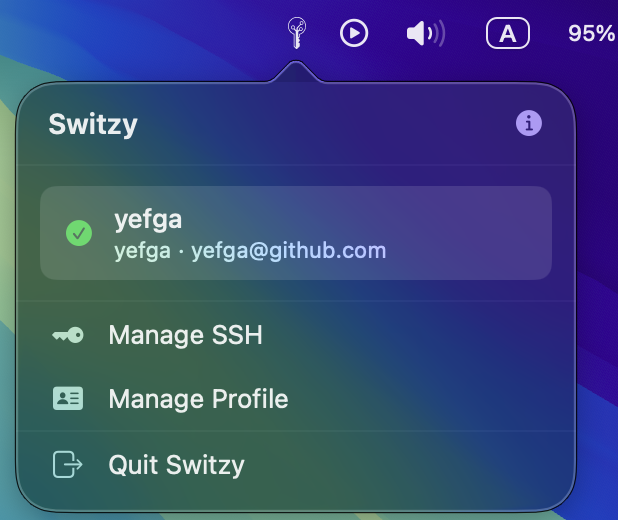
Core Features
- 🚀 Instant Identity Switching: Toggle between work, personal, and project-specific Git profiles from the menu bar.
- 🔑 SSH Key Management: Generate and manage SSH keys directly within the app without touching the terminal.
- ✨ Premium UI: A modern, glassmorphic interface that feels right at home on macOS.
- 🔄 Auto Configuration: Automatically updates your global or local
.gitconfigas you switch profiles. - 🔔 Sparkle Updates: Receive seamless notifications when a new version is available for one-click updating.
Installation
Via Homebrew (Recommended)
You can install Switzy using Homebrew by tapping the official repository:
brew tap yefga/tap
brew install --cask switzy
Manual Installation
- Download the latest
.dmgfrom the Releases page. - Open the DMG and drag Switzy.app into your Applications folder.
🛡️ Note on Security (Notarization)
Switzy's official releases are Notarized by Apple. This means the app has been verified to be free of malware, and it will run smoothly on your Mac without any security warnings.
If you build Switzy from source, you may still need to perform the standard "Right-click -> Open" process for unnotarized binaries.
Development
Switzy is built with SwiftUI and managed using Tuist.
- Clone the repository:
git clone https://github.com/yefga/Switzy.git cd Switzy - Generate the project:
tuist generate - Open
Switzy.xcworkspaceand run theSwitzyscheme.
License
This project is licensed under the MIT License - see the LICENSE file for details.
Created by Yefga